

Sign In Start Free Trial
Account

Add to playlist

Create a Playlist

Modal Close icon
You need to login to use this feature.
  • Book Overview & Buying React and React Native
  • Table Of Contents Toc
React and React Native

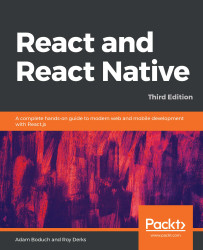
React and React Native - Third Edition

By : Adam Boduch, Roy Derks
4.2 (10)
close
close
React and React Native

React and React Native

4.2 (10)
By: Adam Boduch, Roy Derks

Overview of this book

React and React Native, Facebook’s innovative User Interface (UI) libraries, are designed to help you build robust cross-platform web and mobile applications. This updated third edition is improved and updated to cover the latest version of React. The book particularly focuses on the latest developments in the React ecosystem, such as modern Hook implementations, code splitting using lazy components and Suspense, user interface framework components using Material-UI, and Apollo. In terms of React Native, the book has been updated to version 0.62 and demonstrates how to apply native UI components for your existing mobile apps using NativeBase. You will begin by learning about the essential building blocks of React components. Next, you’ll progress to working with higher-level functionalities in application development, before putting this knowledge to use by developing user interface components for the web and for native platforms. In the concluding chapters, you’ll learn how to bring your application together with a robust data architecture. By the end of this book, you’ll be able to build React applications for the web and React Native applications for multiple mobile platforms.
Table of Contents (33 chapters)
close
close
1
Section 1: React
14
Section 2: React Native
27
Section 3: React Architecture

Route parameters

When you develop React web applications, some of your routes have dynamic data in them. For example, you can link to a details page and, within that URL, you'll have some sort of identifier. The component then has what it needs to render specific detailed information. The same concept exists within react-navigation. Instead of just specifying the name of the screen that you want to navigate to, you can pass along additional data.

Let's take a look at route parameters in action:

  1. We'll start with the App component:
import { createAppContainer } from "react-navigation";
import { createStackNavigator } from "react-navigation-stack";
import Home from "./Home";
import Details from "./Details";

export default createAppContainer(
createStackNavigator({ Home, Details }, { initialRouteName: "Home" })
);

This looks just like the navigation basics example, except instead of a Settings page there's a Details page...

CONTINUE READING
83
Tech Concepts
36
Programming languages
73
Tech Tools
Icon Unlimited access to the largest independent learning library in tech of over 8,000 expert-authored tech books and videos.
Icon Innovative learning tools, including AI book assistants, code context explainers, and text-to-speech.
Icon 50+ new titles added per month and exclusive early access to books as they are being written.
React and React Native
notes
bookmark Notes and Bookmarks search Search in title playlist Add to playlist download Download options font-size Font size

Change the font size

margin-width Margin width

Change margin width

day-mode Day/Sepia/Night Modes

Change background colour

Close icon Search
Country selected

Close icon Your notes and bookmarks

Confirmation

Modal Close icon
claim successful

Buy this book with your credits?

Modal Close icon
Are you sure you want to buy this book with one of your credits?
Close
YES, BUY

Submit Your Feedback

Modal Close icon
Modal Close icon
Modal Close icon