Sign In Start Free Trial
Account

Add to playlist

Create a Playlist

Modal Close icon
You need to login to use this feature.
  • Book Overview & Buying Moodle JavaScript Cookbook
  • Table Of Contents Toc
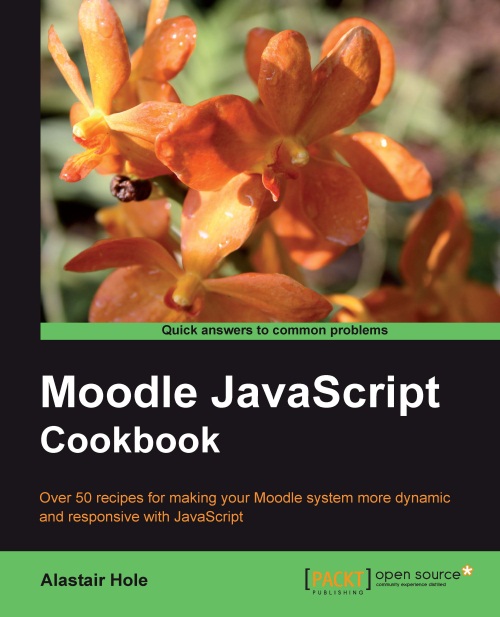
Moodle JavaScript Cookbook

Moodle JavaScript Cookbook

By : Alastair Hole
4.7 (3)
close
close
Moodle JavaScript Cookbook

Moodle JavaScript Cookbook

4.7 (3)
By: Alastair Hole

Overview of this book

Moodle is the best e-learning solution on the block and is revolutionizing courses on the Web. Using JavaScript in Moodle is very useful to administrators and dynamic developers as it uses built-in libraries to provide the modern and dynamic experience that is expected by web users today.The Moodle JavaScript Cookbook will take you through the basics of combining Moodle with JavaScript and its various libraries and explain how JavaScript can be used along with Moodle. It will explain how to integrate Yahoo! User Interface Library (YUI) with Moodle. YUI will be the main focus of the book, and is the key to implementing modern, dynamic feature-rich interfaces to help your users get a more satisfying and productive Moodle experience. It will enable you to add effects, make forms more responsive, use AJAX and animation, all to create a richer user experience. You will be able to work through a range of YUI features, such as pulling in and displaying information from other websites, enhancing existing UI elements to make users' lives easier, and even how to add animation to your pages for a nice finishing touch.
Table of Contents (15 chapters)
close
close
Moodle JavaScript Cookbook
Credits
About the Author
About the Reviewers
www.PacktPub.com
Preface

Attaching basic event handlers


Events are the basis for managing how the user interface responds to particular actions taken by the user, primarily with the keyboard and/or mouse. An event is a particular action taken in the context of a particular DOM element. The following are two common examples:

  • An input button element has a click event, which occurs when the user clicks the mouse while the mouse pointer is hovering over the button

  • An input text box has a focus event, which occurs when the text box has gained focus, meaning the user has moved the cursor into the text box either with the mouse cursor or using the Tab key

Therefore, an event handler is a specific block of code (callback function) that we have registered (attached) to a particular element and event combination, that is, the input button and its click event.

In this recipe, we will learn how to attach a click event handler to an HTML input button as per the first example. We will set up the code such that an alert is displayed...

CONTINUE READING
83
Tech Concepts
36
Programming languages
73
Tech Tools
Icon Unlimited access to the largest independent learning library in tech of over 8,000 expert-authored tech books and videos.
Icon Innovative learning tools, including AI book assistants, code context explainers, and text-to-speech.
Icon 50+ new titles added per month and exclusive early access to books as they are being written.
Moodle JavaScript Cookbook
notes
bookmark Notes and Bookmarks search Search in title playlist Add to playlist font-size Font size

Change the font size

margin-width Margin width

Change margin width

day-mode Day/Sepia/Night Modes

Change background colour

Close icon Search
Country selected

Close icon Your notes and bookmarks

Confirmation

Modal Close icon
claim successful

Buy this book with your credits?

Modal Close icon
Are you sure you want to buy this book with one of your credits?
Close
YES, BUY

Submit Your Feedback

Modal Close icon
Modal Close icon
Modal Close icon