Sign In Start Free Trial
Account

Add to playlist

Create a Playlist

Modal Close icon
You need to login to use this feature.
  • Book Overview & Buying Practical Business Intelligence
  • Table Of Contents Toc
  • Feedback & Rating feedback
Practical Business Intelligence

Practical Business Intelligence

close
close
Practical Business Intelligence

Practical Business Intelligence

Overview of this book

Business Intelligence (BI) is at the crux of revolutionizing enterprise. Everyone wants to minimize losses and maximize profits. Thanks to Big Data and improved methodologies to analyze data, Data Analysts and Data Scientists are increasingly using data to make informed decisions. Just knowing how to analyze data is not enough, you need to start thinking how to use data as a business asset and then perform the right analysis to build an insightful BI solution. Efficient BI strives to achieve the automation of data for ease of reporting and analysis. Through this book, you will develop the ability to think along the right lines and use more than one tool to perform analysis depending on the needs of your business. We start off by preparing you for data analytics. We then move on to teach you a range of techniques to fetch important information from various databases, which can be used to optimize your business. The book aims to provide a full end-to-end solution for an environment setup that can help you make informed business decisions and deliver efficient and automated BI solutions to any company. It is a complete guide for implementing Business intelligence with the help of the most powerful tools like D3.js, R, Tableau, Qlikview and Python that are available on the market.
Table of Contents (16 chapters)
close
close
Practical Business Intelligence
Credits
About the Author
About the Reviewer
www.PacktPub.com
Customer Feedback
Preface

Creating visualizations with Power BI


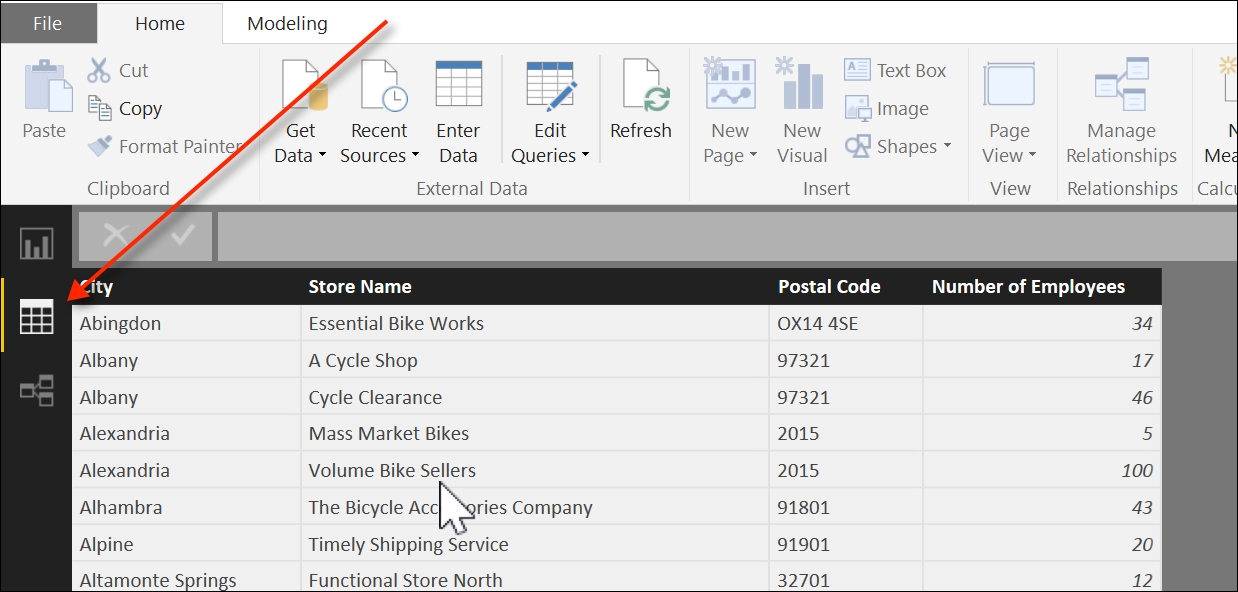
Once the data is loaded into Power BI, we can preview the results by clicking on the Data icon, below the Report icon, as seen in the following screenshot:

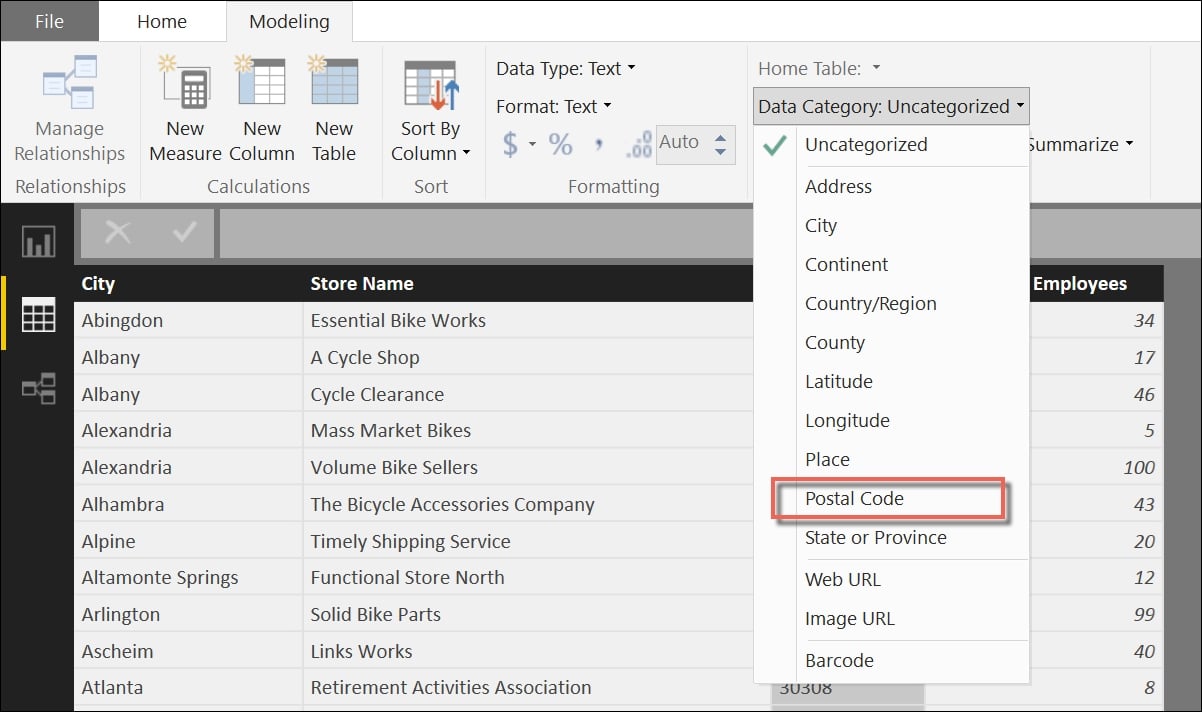
This gives us an opportunity to format the data in a way that will be most suitable to us for building a map chart. While selecting the Postal Code column header in the Modeling tab, we can change the format type from Uncategorized to Postal Code, as seen in this screenshot:

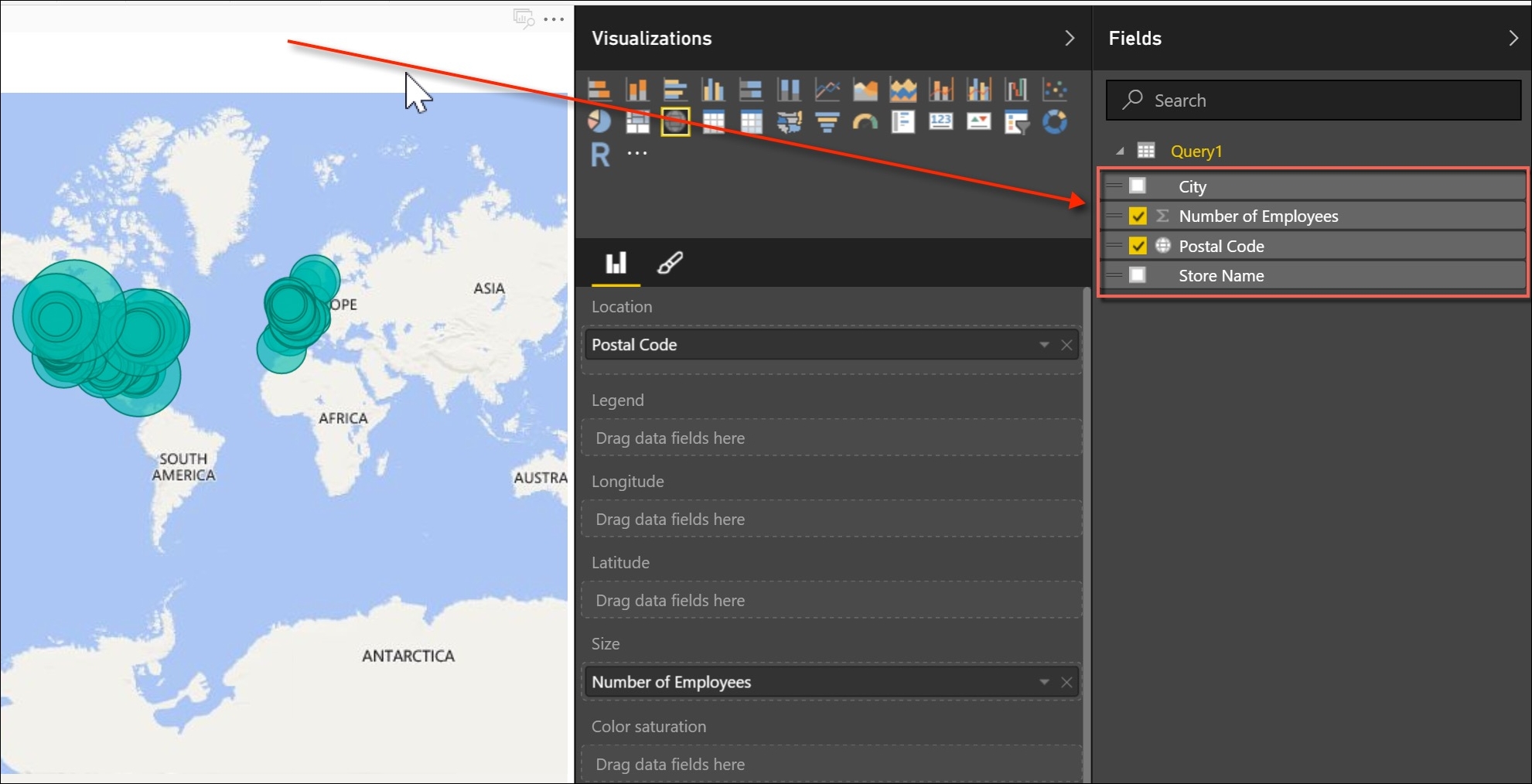
This modification ensures that the Postal Code column will be treated as a location identifier within the map. Once that is complete, return to the report mode, which is above the data model, and select the Number of Employees and Postal Code fields from your query, as shown in the following screenshot:

A map is automatically generated with green circles highlighting the volume of employees by postal code.

The next step is to add a new bar chart to the right of the map with the city name as well as the employee count. In order...

Visually different images
CONTINUE READING
83
Tech Concepts
36
Programming languages
73
Tech Tools
Icon Unlimited access to the largest independent learning library in tech of over 8,000 expert-authored tech books and videos.
Icon Innovative learning tools, including AI book assistants, code context explainers, and text-to-speech.
Icon 50+ new titles added per month and exclusive early access to books as they are being written.
Practical Business Intelligence
notes
bookmark Notes and Bookmarks search Search in title playlist Add to playlist download Download options font-size Font size

Change the font size

margin-width Margin width

Change margin width

day-mode Day/Sepia/Night Modes

Change background colour

Close icon Search
Country selected

Close icon Your notes and bookmarks

Confirmation

Modal Close icon
claim successful

Buy this book with your credits?

Modal Close icon
Are you sure you want to buy this book with one of your credits?
Close
YES, BUY

Submit Your Feedback

Modal Close icon
Modal Close icon
Modal Close icon