Sign In Start Free Trial
Account

Add to playlist

Create a Playlist

Modal Close icon
You need to login to use this feature.
  • Book Overview & Buying Hands-On Machine Learning on Google Cloud Platform
  • Table Of Contents Toc
  • Feedback & Rating feedback
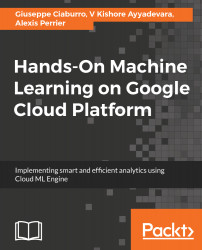
Hands-On Machine Learning on Google Cloud Platform

Hands-On Machine Learning on Google Cloud Platform

By : Perrier, Giuseppe Ciaburro, V Kishore Ayyadevara
3.5 (2)
close
close
Hands-On Machine Learning on Google Cloud Platform

Hands-On Machine Learning on Google Cloud Platform

3.5 (2)
By: Perrier, Giuseppe Ciaburro, V Kishore Ayyadevara

Overview of this book

Google Cloud Machine Learning Engine combines the services of Google Cloud Platform with the power and flexibility of TensorFlow. With this book, you will not only learn to build and train different complexities of machine learning models at scale but also host them in the cloud to make predictions. This book is focused on making the most of the Google Machine Learning Platform for large datasets and complex problems. You will learn from scratch how to create powerful machine learning based applications for a wide variety of problems by leveraging different data services from the Google Cloud Platform. Applications include NLP, Speech to text, Reinforcement learning, Time series, recommender systems, image classification, video content inference and many other. We will implement a wide variety of deep learning use cases and also make extensive use of data related services comprising the Google Cloud Platform ecosystem such as Firebase, Storage APIs, Datalab and so forth. This will enable you to integrate Machine Learning and data processing features into your web and mobile applications. By the end of this book, you will know the main difficulties that you may encounter and get appropriate strategies to overcome these difficulties and build efficient systems.
Table of Contents (18 chapters)
close
close
8
Creating ML Applications with Firebase

Run Job

We have planned several operations on our database: it is time to make these changes. To do this, just click on Run Job on the Transformer page. In this way, the Run Job page will be open, where we can specify transformation and profiling jobs for the currently loaded dataset. Available options include output formats and output destinations.

The Profile Results option allows us to generate a visual result profile. The visual profile is very useful for examining the problems of our recipe and iterating, even if it is a process that requires a lot of resources. If the dataset we are processing is large, disabling the profiling of the results can improve the overall execution speed of the job.

After setting the available options correctly, we can queue the specified job for execution by simply clicking Run Job. Once this is done, the job is queued for processing. At the end...

Visually different images
CONTINUE READING
83
Tech Concepts
36
Programming languages
73
Tech Tools
Icon Unlimited access to the largest independent learning library in tech of over 8,000 expert-authored tech books and videos.
Icon Innovative learning tools, including AI book assistants, code context explainers, and text-to-speech.
Icon 50+ new titles added per month and exclusive early access to books as they are being written.
Hands-On Machine Learning on Google Cloud Platform
notes
bookmark Notes and Bookmarks search Search in title playlist Add to playlist download Download options font-size Font size

Change the font size

margin-width Margin width

Change margin width

day-mode Day/Sepia/Night Modes

Change background colour

Close icon Search
Country selected

Close icon Your notes and bookmarks

Confirmation

Modal Close icon
claim successful

Buy this book with your credits?

Modal Close icon
Are you sure you want to buy this book with one of your credits?
Close
YES, BUY

Submit Your Feedback

Modal Close icon
Modal Close icon
Modal Close icon