Sign In Start Free Trial
Account

Add to playlist

Create a Playlist

Modal Close icon
You need to login to use this feature.
  • Book Overview & Buying The Data Analysis Workshop
  • Table Of Contents Toc
  • Feedback & Rating feedback
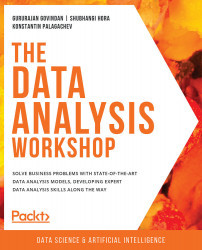
The Data Analysis Workshop

The Data Analysis Workshop

By : Gururajan Govindan , Shubhangi Hora , Konstantin Palagachev
4.4 (21)
close
close
The Data Analysis Workshop

The Data Analysis Workshop

4.4 (21)
By: Gururajan Govindan , Shubhangi Hora , Konstantin Palagachev

Overview of this book

Businesses today operate online and generate data almost continuously. While not all data in its raw form may seem useful, if processed and analyzed correctly, it can provide you with valuable hidden insights. The Data Analysis Workshop will help you learn how to discover these hidden patterns in your data, to analyze them, and leverage the results to help transform your business. The book begins by taking you through the use case of a bike rental shop. You'll be shown how to correlate data, plot histograms, and analyze temporal features. As you progress, you’ll learn how to plot data for a hydraulic system using the Seaborn and Matplotlib libraries, and explore a variety of use cases that show you how to join and merge databases, prepare data for analysis, and handle imbalanced data. By the end of the book, you'll have learned different data analysis techniques, including hypothesis testing, correlation, and null-value imputation, and will have become a confident data analyst.
Table of Contents (12 chapters)
close
close
Preface
7
7. Analyzing the Heart Disease Dataset
9
9. Analysis of the Energy Consumed by Appliances

8. Analyzing Online Retail II Dataset

Activity 8.01: Performing Data Analysis on the Online Retail II Dataset

  1. Import the required packages:
    import pandas as pd
    import numpy as np
    import seaborn as sns
    import matplotlib.pyplot as plt

    In a Jupyter notebook, install plotly using the following command:

    !pip install plotly

    Import plotly.express from the installed package:

    import plotly.express as px
  2. Store each of the CSV files in two different DataFrames:
    r09 = pd.read_csv('https://raw.githubusercontent.com/'\
                      'PacktWorkshops/'\
                      'The-Data-Analysis-Workshop/master/'\
                      'Chapter08/Datasets/online_retail_II.csv')
    r09.head()

    The output...

Visually different images
CONTINUE READING
83
Tech Concepts
36
Programming languages
73
Tech Tools
Icon Unlimited access to the largest independent learning library in tech of over 8,000 expert-authored tech books and videos.
Icon Innovative learning tools, including AI book assistants, code context explainers, and text-to-speech.
Icon 50+ new titles added per month and exclusive early access to books as they are being written.
The Data Analysis Workshop
notes
bookmark Notes and Bookmarks search Search in title playlist Add to playlist download Download options font-size Font size

Change the font size

margin-width Margin width

Change margin width

day-mode Day/Sepia/Night Modes

Change background colour

Close icon Search
Country selected

Close icon Your notes and bookmarks

Confirmation

Modal Close icon
claim successful

Buy this book with your credits?

Modal Close icon
Are you sure you want to buy this book with one of your credits?
Close
YES, BUY

Submit Your Feedback

Modal Close icon
Modal Close icon
Modal Close icon