Sign In Start Free Trial
Account

Add to playlist

Create a Playlist

Modal Close icon
You need to login to use this feature.
  • Book Overview & Buying Cocos2d-x cookbook
  • Table Of Contents Toc
Cocos2d-x cookbook

Cocos2d-x cookbook

By : Akihiro Matsuura
4.6 (5)
close
close
Cocos2d-x cookbook

Cocos2d-x cookbook

4.6 (5)
By: Akihiro Matsuura

Overview of this book

Cocos2d-x is a suite of open source, cross-platform game-development tools used by thousands of developers all over the world. Cocos2d-x is a game framework written in C++, with a thin platform-dependent layer. Completely written in C++, the core engine has the smallest footprint and the fastest speed of any other game engine, and is optimized to be run on all kinds of devices. You will begin with the initial setup and installation of Cocos2d before moving on to the fundamentals needed to create a new project. You will then explore and create the sprites, animations, and actions that you will include in the game. Next you will look at strings and create labels, including a label with True Type Font (TTF) font support. Later, you will learn about layer and scene creation and transition. Then you will create the GUI parts essential for a game, such as buttons and switches. After that, you will breathe life into the game with background music and sound effects using the all new Cocos2d-x audio engine. You will then discover how to manage resource files and implement processes that depend on the operating system. Finally, you will polish your game with physics such as gravity and elevation, learn about tools that will help you make games more robust and stable, and get to know best practices to improve the game you have developed.
Table of Contents (13 chapters)
close
close
12
Index

Using Physics Editor

In Chapter 9, Controlling Physics, you learned about Physics Engine. We can create physics bodies to use Cocos2d-x API. However, we can only create a circle shape or a box shape. Actually, you have to use complex shapes in real games. In this recipe, you will learn how to create a lot of shapes using Physics Editor.

Getting ready

Physics Editor is created by the same company that created Texture Packer. Physics Editor is a paid application. But you can use a free trial version. If you don't have it, you can download it by visiting the https://www.codeandweb.com/physicseditor

Here, you prepare the image to use this tool. Here, we will use the following image that is similar to a gear. This image's name is gear.png.

Getting ready

How to do it...

First of all, you will create a physics file to use Physics Editor.

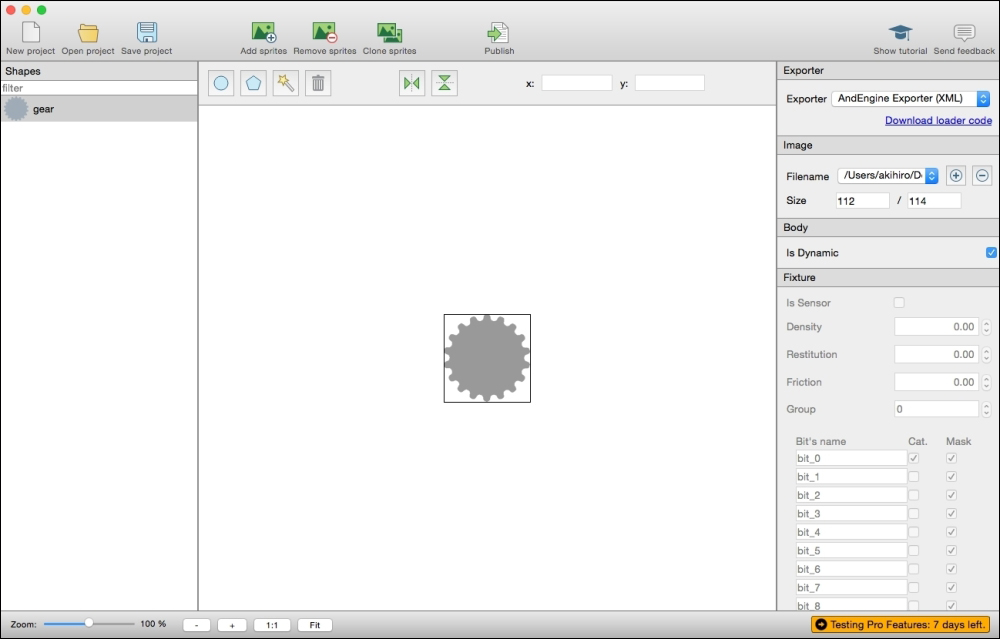
  1. Launch Physics Editor. Then, drag the image gear.png to the left pane.
    How to do it...
  2. Click on the shaper tracer icon that is the third icon from the left in the tool bar. The shaper...
CONTINUE READING
83
Tech Concepts
36
Programming languages
73
Tech Tools
Icon Unlimited access to the largest independent learning library in tech of over 8,000 expert-authored tech books and videos.
Icon Innovative learning tools, including AI book assistants, code context explainers, and text-to-speech.
Icon 50+ new titles added per month and exclusive early access to books as they are being written.
Cocos2d-x cookbook
notes
bookmark Notes and Bookmarks search Search in title playlist Add to playlist font-size Font size

Change the font size

margin-width Margin width

Change margin width

day-mode Day/Sepia/Night Modes

Change background colour

Close icon Search
Country selected

Close icon Your notes and bookmarks

Confirmation

Modal Close icon
claim successful

Buy this book with your credits?

Modal Close icon
Are you sure you want to buy this book with one of your credits?
Close
YES, BUY

Submit Your Feedback

Modal Close icon
Modal Close icon
Modal Close icon