-
Book Overview & Buying
-
Table Of Contents
QGIS Python Programming Cookbook
By :
QGIS has a set of Python modules and libraries that can be accessed from the Python console within QGIS. However, they can also be accessed from outside QGIS to write standalone applications. First, you must make sure that PyQGIS is installed for your platform, and then set up some required system environment variables.
In this recipe, we will walk you through the additional steps required beyond the normal QGIS installation to prepare your system for development. The steps for each platform are provided, which also include the different styles of Linux package managers.
QGIS uses slightly different installation methods for Windows, GNU/Linux, and Mac OS X. The Windows installers install everything you need for Python development, including Python itself.
However, on Linux distributions and Mac OS X, you may need to manually install the Python modules for the system installation of Python. On Mac OS X, you can download installers for some of the commonly used Python modules with QGIS from http://www.kyngchaos.com/software/python.
On Linux, you have the option to compile from the source or you can just specify the Python QGIS interface to be installed through your package manager.
sudo apt-get update
sudo apt-get install qgis python-qgis qgis-plugin-grass
sudo yum update
sudo yum install qgis qgis-python qgis-grass
Now, we must set the PYTHONPATH to the PyQGIS directory. At the same time, append the path to this directory to the PATH variable so that you can use the PyQGIS modules with an external IDE.
PYTHONPATH variable in a command prompt to the bin directory of the QGIS installation:set PYTHONPATH="C:\Program Files\QGIS Brighton\bin"
bin directories to the system's PATH variable:set PATH="C:\Program Files\QGIS Brighton\bin";"C:\Program Files\QGIS Brighton\bin\apps\qgis\bin";%PATH%
PYTHONPATH variable in a command prompt to the bin directory of the QGIS installation:export PYTHONPATH=/usr/share/qgis/python
export LD_LIBRARY_PATH=/usr/share/qgis/python
The QGIS installation process and package managers set up the Python module's configuration internal to QGIS. When you use the Python console inside QGIS, it knows where all the PyQGIS modules are. However, if you want to use the PyQGIS API outside QGIS, using a system Python installation on Windows or Linux, it is necessary to set some system variables so that Python can find the required PyQGIS modules.
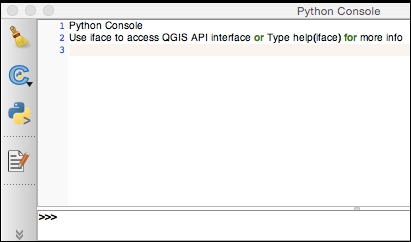
This recipe uses the default QGIS paths on each platform. If you aren't sure which PyQGIS path is for your system, you can figure this out from the Python console in QGIS.
The libraries on Windows are stored in a different location than in the case of other platforms. To locate the path, you can check the current working directory of the Python console:

os module to get the current working directory:import os os.getcwd()
Perform the following steps to find the path needed for this recipe on all the platforms besides Windows:
sys module to locate the PyQGIS path:import sys sys.path
/python, which is the location of the Python installation used by QGIS
Change the font size
Change margin width
Change background colour