-
Book Overview & Buying
-
Table Of Contents

Mac Application Development by Example: Beginner's Guide
By :


Mac Application Development by Example: Beginner's Guide
By:
Overview of this book
It's never been more important to have the ability to develop an App for Mac OS X. Whether it's a System Preference, a business app that accesses information in the Cloud, or an application that uses multi-touch or uses a camera, you will have a solid foundation in app development to get the job done.Mac Application Development by Example takes you through all the aspects of using the Xcode development tool to produce complete working apps that cover a broad range of topics. This comprehensive book on developing applications covers everything a beginner needs to know and demonstrates the concepts using examples that take advantage of some of the most interesting hardware and software features available.You will discover the fundamental aspects of OS X development while investigating innovative platform features to create a final product which take advantage of the unique aspects of OS X.Learn how to use Xcode tools to create and share Mac OS X apps. Explore numerous OS X features including iCloud, multi-touch trackpad, and the iSight camera.This book provides you with an illustrated and annotated guide to bring your idea to life using fundamental concepts that work on Mac.
Table of Contents (17 chapters)
Mac Application Development by Example Beginner's Guide


Credits
About the Author
About the Reviewers
www.PacktPub.com
Preface
 Free Chapter
Our First Program – SimpleCalc
Debugger – Finding and Fixing Problems
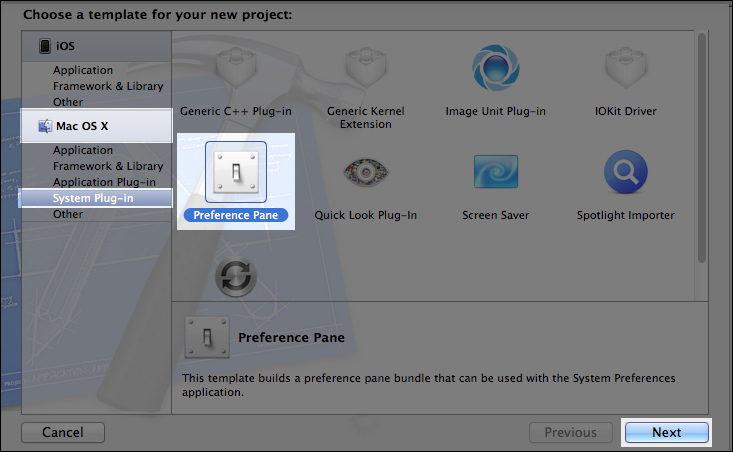
System Preferences – NewDefaults

Business Application – Global Currency Converter
Personal Information – Numbers in the iCloud
Painting – Multi-finger Paint
Capturing Still Images – iSight iMage cApture App
Video Recording – iSight Recorder
Video Recording – Full Screen iSight Recorder
Sharing Our App with Others – Becoming a Mac Developer
Index