-
Book Overview & Buying
-
Table Of Contents
Advanced UFT 12 for Test Engineers Cookbook
The same TOs might appear in different flavors. For example, a Submit button in a localized English version would show the text Einreichen for the German version. If the objects were given abstract IDs not related to their function or displayed text, then life for the automation developer would be easy; however, this is generally not the case. As managing a separate object repository for each language would pose a maintenance impasse for any automation project, a more practical approach should be adopted. A good alternative is to store the values for identification properties that change from one environment to another in an external data source, which is loaded at the beginning of a run session according to the required language. This recipe will show how to parameterize an identification property for a given TO and use the dynamically loaded value to identify the object during runtime.
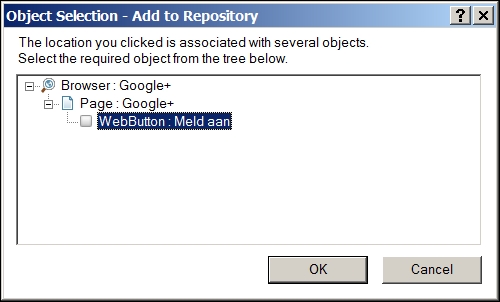
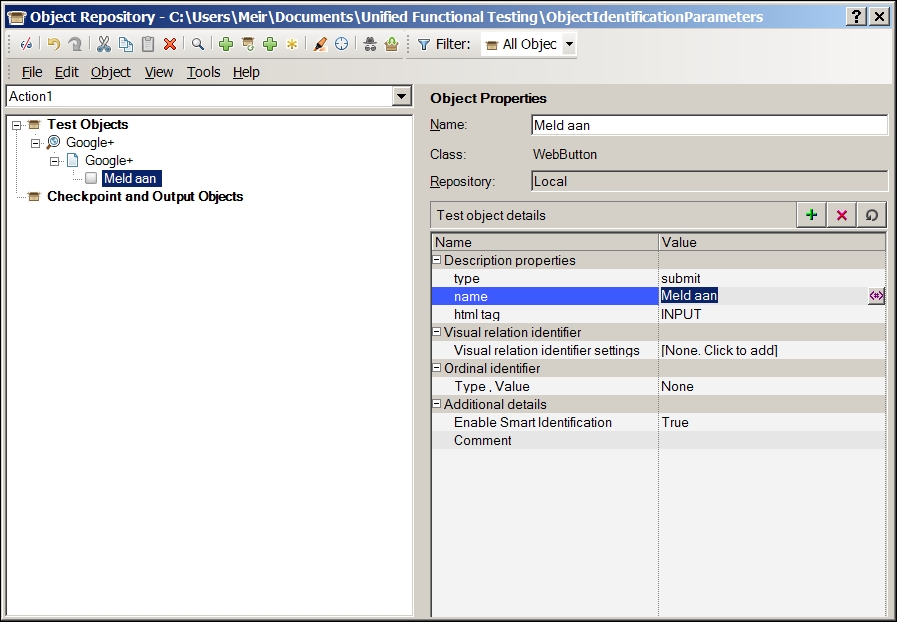
In this recipe, we will take the Google+ Sign In button, which carries a different text value for each localized version. In our example, we will learn about the button in one language (Afrikaans), store the TO in a single Object Repository (OR), and make it get the value for its name attribute from an Environment variable named Google_Sign_In. The Environment variables for the test will be loaded according to the application language (refer to the Using global variables (Environment) recipe in Chapter 8, Utility and Reserved Objects).
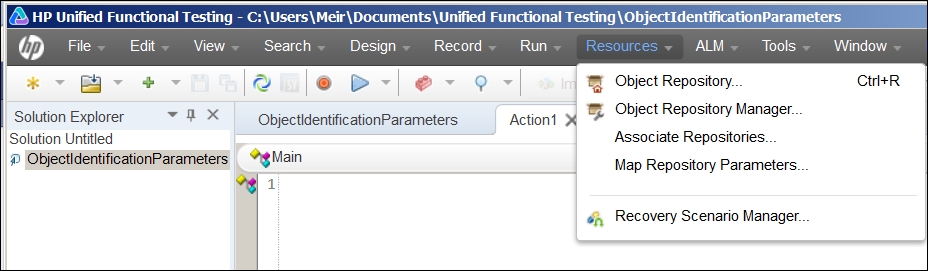
Proceed with the following steps:


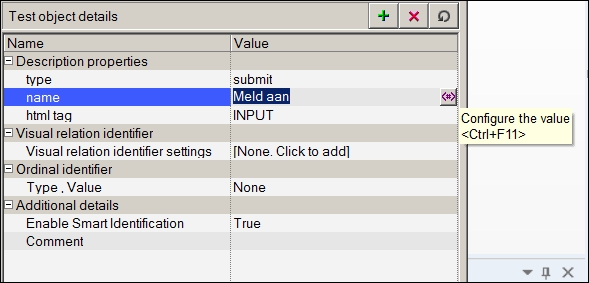
name property, and then click on the icon that appears to the right, as shown:

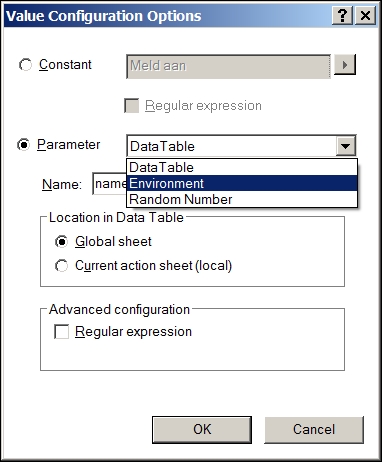
<Google_Sign_In>. Leave the value as is and click on OK.
<Google_Sign_in> and the icon on the left represents the Environment object.When running the test, OR will take the value of the name property from the Environment variable. Hence, if we have a set of such values for each language, then we will be able to test an application in whichever language we choose, without having to change a single line of script code!
As with this method, the value is stored as an internal Environment variable, and we wish to load the values according to the language interface under test. We need to export the environment to an external XML file and load it at the beginning of the run session.
The same basic approach can be used for object identification with the Using Descriptive Programming inline recipe of Chapter 5, Object Identification.
The Importing an Excel file to a test and Using a configuration file to manage test environments recipes.
Change the font size
Change margin width
Change background colour