-
Book Overview & Buying
-
Table Of Contents
Advanced UFT 12 for Test Engineers Cookbook
The Environment global object is one of UFT's reserved objects and it can be used to store and retrieve both runtime and design-time data.
For a more detailed description of the Environment object, please see the next recipe Retrieving data from the Environment object.
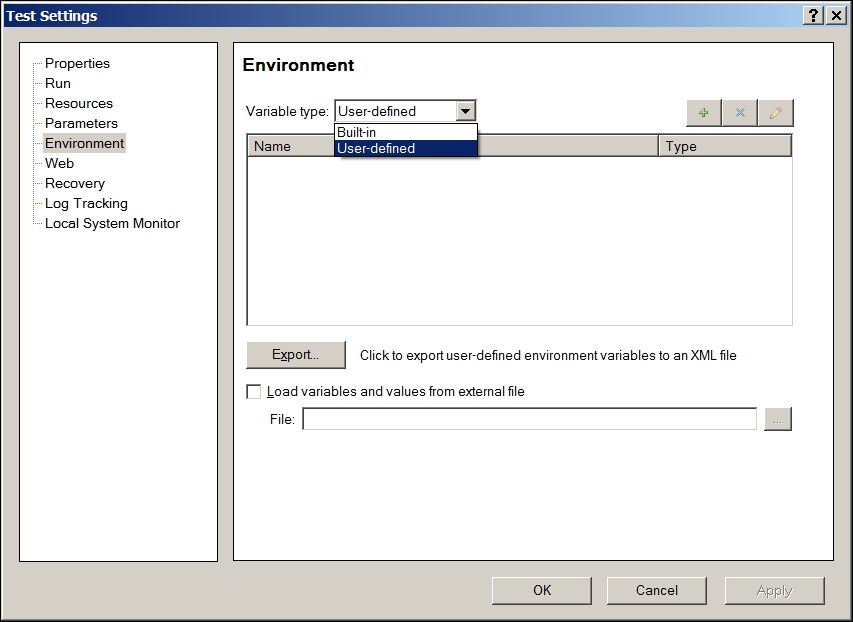
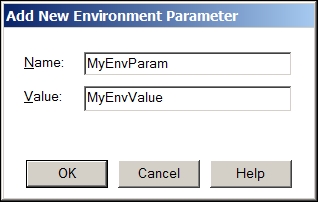
Proceed with the following steps:


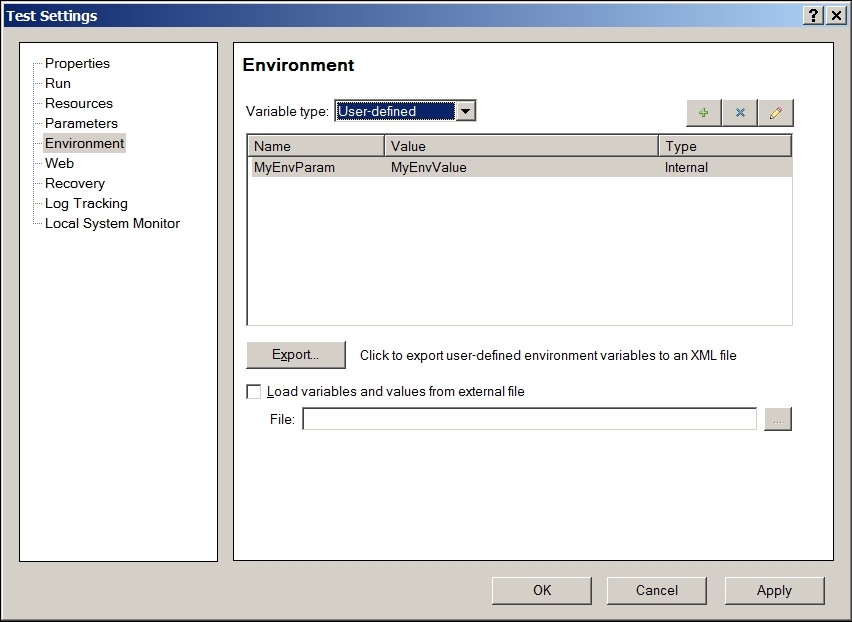
Internal:
What does it mean? A user-defined variable is Internal when we define it through the UFT GUI. It becomes External when either we export the variables to an XML file or define them directly in such a file and later, load the file with the variables and values to the test.
Definitions of the types of variable classifications are as follows:
Internal variable defined, these will be loaded automatically. Changes made to their values during the run session will not be saved. In this sense, the values given to Internal variables using the GUI can be referred to as default values.External variables can be referred to as constant values.We can also store a value to an Environment variable dynamically from the code. Such a variable will have global scope but will be accessible during runtime only. This means that you will not see it in the list of Internal variables, as shown in this recipe. The procedure is equivalent to using the default Add method of the Scripting.Dictionary object, as shown in the following line of code:
Environment("MyEnvParam") = "MyEnvValue"Refer to an article by Yaron Assa at http://www.advancedqtp.com/reservedobjects-as-an-env-object-replacement.
Change the font size
Change margin width
Change background colour