Sign In Start Free Trial
Account

Add to playlist

Create a Playlist

Modal Close icon
You need to login to use this feature.
  • Book Overview & Buying Odoo 14 Development Cookbook
  • Table Of Contents Toc
  • Feedback & Rating feedback
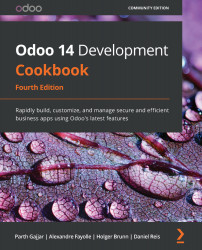
Odoo 14 Development Cookbook

Odoo 14 Development Cookbook - Fourth Edition

By : Gajjar, Fayolle, Holger Brunn, Daniel Reis
4 (5)
close
close
Odoo 14 Development Cookbook

Odoo 14 Development Cookbook

4 (5)
By: Gajjar, Fayolle, Holger Brunn, Daniel Reis

Overview of this book

With its latest iteration, the powerful Odoo framework released a wide variety of features for rapid application development. This updated Odoo development cookbook will help you explore the new features in Odoo 14 and learn how to use them to develop Odoo applications from scratch. You'll learn about the new website concepts in Odoo 14 and get a glimpse of Odoo's new web-client framework, the Odoo Web Library (OWL). Once you've completed the installation, you'll begin to explore the Odoo framework with real-world examples. You'll then create a new Odoo module from the ground up and progress to advanced framework concepts. You'll also learn how to modify existing applications, including Point of Sale (POS) applications. This book isn't just limited to backend development; you'll discover advanced JavaScript recipes for creating new views and widgets. As you progress, you'll learn about website development and become a quality Odoo developer by studying performance optimization, debugging, and automated testing. Finally, you'll delve into advanced concepts such as multi-website, In-App Purchasing (IAP), Odoo.sh, the IoT Box, and security. By the end of the book, you'll have all the knowledge you need to build impressive Odoo applications and you'll be well versed in development best practices that will come in handy when working with the Odoo framework.
Table of Contents (26 chapters)
close
close

Flashing the IoT Box image for Raspberry Pi

In this recipe, you will learn how to flash a microSD card with an image of the IoT Box. Note that this recipe is only for those who have purchased the blank Raspberry Pi. If you have purchased the official IoT Box from Odoo, you can skip this recipe as it is preloaded with the IoT Box image.

Getting ready

Raspberry Pi 3 Model B+ uses a microSD card, so we have used a microSD card for this recipe. You will need to connect a microSD card to your computer.

How to do it...

Perform the following steps to install an IoT Box image onto your SD card:

  1. Insert a microSD card into your computer (use an adapter if your computer doesn't have a dedicated slot).
  2. Download the IoT Box image from Odoo's nightly builds. The image is available at https://nightly.odoo.com/master/iotbox/.
  3. Download and install balenaEtcher on your computer. You can download this from https://www.balena.io/etcher/.
  4. Open balenaEtcher, select...
Visually different images
CONTINUE READING
83
Tech Concepts
36
Programming languages
73
Tech Tools
Icon Unlimited access to the largest independent learning library in tech of over 8,000 expert-authored tech books and videos.
Icon Innovative learning tools, including AI book assistants, code context explainers, and text-to-speech.
Icon 50+ new titles added per month and exclusive early access to books as they are being written.
Odoo 14 Development Cookbook
notes
bookmark Notes and Bookmarks search Search in title playlist Add to playlist download Download options font-size Font size

Change the font size

margin-width Margin width

Change margin width

day-mode Day/Sepia/Night Modes

Change background colour

Close icon Search
Country selected

Close icon Your notes and bookmarks

Confirmation

Modal Close icon
claim successful

Buy this book with your credits?

Modal Close icon
Are you sure you want to buy this book with one of your credits?
Close
YES, BUY

Submit Your Feedback

Modal Close icon
Modal Close icon
Modal Close icon