Sign In Start Free Trial
Account

Add to playlist

Create a Playlist

Modal Close icon
You need to login to use this feature.
  • Book Overview & Buying Salesforce Platform App Builder Certification Guide
  • Table Of Contents Toc
  • Feedback & Rating feedback
Salesforce Platform App Builder Certification Guide

Salesforce Platform App Builder Certification Guide

By : Paul Goodey GP, Paul Goodey
4.6 (7)
close
close
Salesforce Platform App Builder Certification Guide

Salesforce Platform App Builder Certification Guide

4.6 (7)
By: Paul Goodey GP, Paul Goodey

Overview of this book

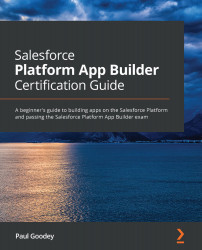
Do you want to be able to confidently design and build apps that support business processes within the Lightning Platform? Salesforce Platform App Builder Certification Guide not only helps you to do this, but also prepares you for the certification exam. The book starts by describing the core capabilities of the Lightning Platform. You'll learn techniques for data modeling to design, build, and deploy apps without writing code and achieve rapid results with the declarative capabilities that the Lightning Platform provides. Next, you'll explore utilities for importing and exporting data and the features available in the Lightning Platform to restrict and extend access to objects, fields, and records. You'll also be able to customize the Salesforce Lightning Experience user interface (UI) and build functionality for custom buttons, links, and actions. Later, this certification study guide will take you through reporting and the social and mobile features of the Lightning Platform. Finally, you’ll get to grips with Salesforce build environments and deployment options. By the end of this Salesforce book, you'll not only have learned how to build data models, enforce data security, and implement business logic and process automation, but also have gained the confidence to pass the Platform App Builder exam and achieve Salesforce certification.
Table of Contents (17 chapters)
close
close
1
Section 1: Introduction to the Lightning Platform Core
5
Section 2: Behind the Scenes
11
Section 3: A Step Closer to the Exam

Understanding the format of the exam

The Salesforce Platform App Builder exam consists of 60 multiple-choice (or single-choice) questions and the maximum time allowed is 105 minutes.

There is no mandatory prerequisite training, qualification, or experience; however, Salesforce highly recommends that candidates have a combination of real-world experience, have attended a suitable training course, have completed Trailhead trails, and have completed a period of self-study to improve their chances of passing the exam.

The percentage score for passing the Salesforce Platform App Builder exam is 63%, which equates to successfully answering a minimum of 38 correct answers out of a total of 60 questions.

Cost of the Salesforce Platform App Builder exam

At the time of writing, the cost of registering for the exam is $200 USD and in the event of an unsuccessful attempt, the cost to retake the exam is $100 USD.

During the exam, no written or online resource may be referenced, and...

Visually different images
CONTINUE READING
83
Tech Concepts
36
Programming languages
73
Tech Tools
Icon Unlimited access to the largest independent learning library in tech of over 8,000 expert-authored tech books and videos.
Icon Innovative learning tools, including AI book assistants, code context explainers, and text-to-speech.
Icon 50+ new titles added per month and exclusive early access to books as they are being written.
Salesforce Platform App Builder Certification Guide
notes
bookmark Notes and Bookmarks search Search in title playlist Add to playlist font-size Font size

Change the font size

margin-width Margin width

Change margin width

day-mode Day/Sepia/Night Modes

Change background colour

Close icon Search
Country selected

Close icon Your notes and bookmarks

Confirmation

Modal Close icon
claim successful

Buy this book with your credits?

Modal Close icon
Are you sure you want to buy this book with one of your credits?
Close
YES, BUY

Submit Your Feedback

Modal Close icon
Modal Close icon
Modal Close icon