Sign In Start Free Trial
Account

Add to playlist

Create a Playlist

Modal Close icon
You need to login to use this feature.
  • Book Overview & Buying Salesforce Platform App Builder Certification Guide
  • Table Of Contents Toc
  • Feedback & Rating feedback
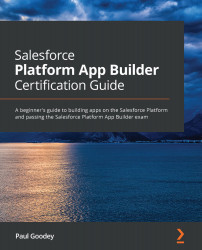
Salesforce Platform App Builder Certification Guide

Salesforce Platform App Builder Certification Guide

By : Paul Goodey GP, Paul Goodey
4.6 (7)
close
close
Salesforce Platform App Builder Certification Guide

Salesforce Platform App Builder Certification Guide

4.6 (7)
By: Paul Goodey GP, Paul Goodey

Overview of this book

Do you want to be able to confidently design and build apps that support business processes within the Lightning Platform? Salesforce Platform App Builder Certification Guide not only helps you to do this, but also prepares you for the certification exam. The book starts by describing the core capabilities of the Lightning Platform. You'll learn techniques for data modeling to design, build, and deploy apps without writing code and achieve rapid results with the declarative capabilities that the Lightning Platform provides. Next, you'll explore utilities for importing and exporting data and the features available in the Lightning Platform to restrict and extend access to objects, fields, and records. You'll also be able to customize the Salesforce Lightning Experience user interface (UI) and build functionality for custom buttons, links, and actions. Later, this certification study guide will take you through reporting and the social and mobile features of the Lightning Platform. Finally, you’ll get to grips with Salesforce build environments and deployment options. By the end of this Salesforce book, you'll not only have learned how to build data models, enforce data security, and implement business logic and process automation, but also have gained the confidence to pass the Platform App Builder exam and achieve Salesforce certification.
Table of Contents (17 chapters)
close
close
1
Section 1: Introduction to the Lightning Platform Core
5
Section 2: Behind the Scenes
11
Section 3: A Step Closer to the Exam

Learning about Profiles and Permission Sets

Profiles and Permission Sets are used to control and assign system and data access permissions to users in the Lightning Platform. Within the Profile or Permission Sets, there is a setting or collection of settings that are used to control what features and functions are available to them, along with the types of operations that can be carried out on data.

The difference between Profiles and Permission Sets is that Profiles are integral to the user's association with the system and data configuration with the Lightning Platform and users can be assigned to only one Profile. When creating new user records, the intended Profile that the user is to have must exist in order for the newly created user record's profile to be assigned. In contrast, the user record can be associated with multiple Permission Sets.

Generally, when setting up permissions for users, you should consider the use of profiles to grant the base-level system...

Visually different images
CONTINUE READING
83
Tech Concepts
36
Programming languages
73
Tech Tools
Icon Unlimited access to the largest independent learning library in tech of over 8,000 expert-authored tech books and videos.
Icon Innovative learning tools, including AI book assistants, code context explainers, and text-to-speech.
Icon 50+ new titles added per month and exclusive early access to books as they are being written.
Salesforce Platform App Builder Certification Guide
notes
bookmark Notes and Bookmarks search Search in title playlist Add to playlist font-size Font size

Change the font size

margin-width Margin width

Change margin width

day-mode Day/Sepia/Night Modes

Change background colour

Close icon Search
Country selected

Close icon Your notes and bookmarks

Confirmation

Modal Close icon
claim successful

Buy this book with your credits?

Modal Close icon
Are you sure you want to buy this book with one of your credits?
Close
YES, BUY

Submit Your Feedback

Modal Close icon
Modal Close icon
Modal Close icon