Sign In Start Free Trial
Account

Add to playlist

Create a Playlist

Modal Close icon
You need to login to use this feature.
  • Book Overview & Buying AWS Networking Cookbook
  • Table Of Contents Toc
AWS Networking Cookbook

AWS Networking Cookbook

By : Satyajit Das, Modi
3.6 (9)
close
close
AWS Networking Cookbook

AWS Networking Cookbook

3.6 (9)
By: Satyajit Das, Modi

Overview of this book

This book starts with practical recipes on the fundamentals of cloud networking and gradually moves on to configuring networks and implementing infrastructure automation. This book then supplies in-depth recipes on networking components like Network Interface, Internet Gateways, DNS, Elastic IP addresses, and VPN CloudHub. Later, this book also delves into designing, implementing, and optimizing static and dynamic routing architectures, multi-region solutions, and highly available connectivity for your enterprise. Finally, this book will teach you to troubleshoot your VPC's network, increasing your VPC's efficiency. By the end of this book, you will have advanced knowledge of AWS networking concepts and technologies and will have mastered implementing infrastructure automation and optimizing your VPC.
Table of Contents (10 chapters)
close
close

Working with network interfaces

Elastic Network Interface (ENI) in AWS is a network interface that can be attached to an EC2 instance. Based on its capacity, one EC2 instance can have number of ENIs attached to it. Each ENI comes with its own MAC and IP addresses. You can't move the ENI to another subnet after it is created. You can attach an ENI to an EC2 in the same AZ.

Getting ready

We need an AWS account and user with proper permissions for creating an ENI.

How to do it...

Here are the steps to follow:

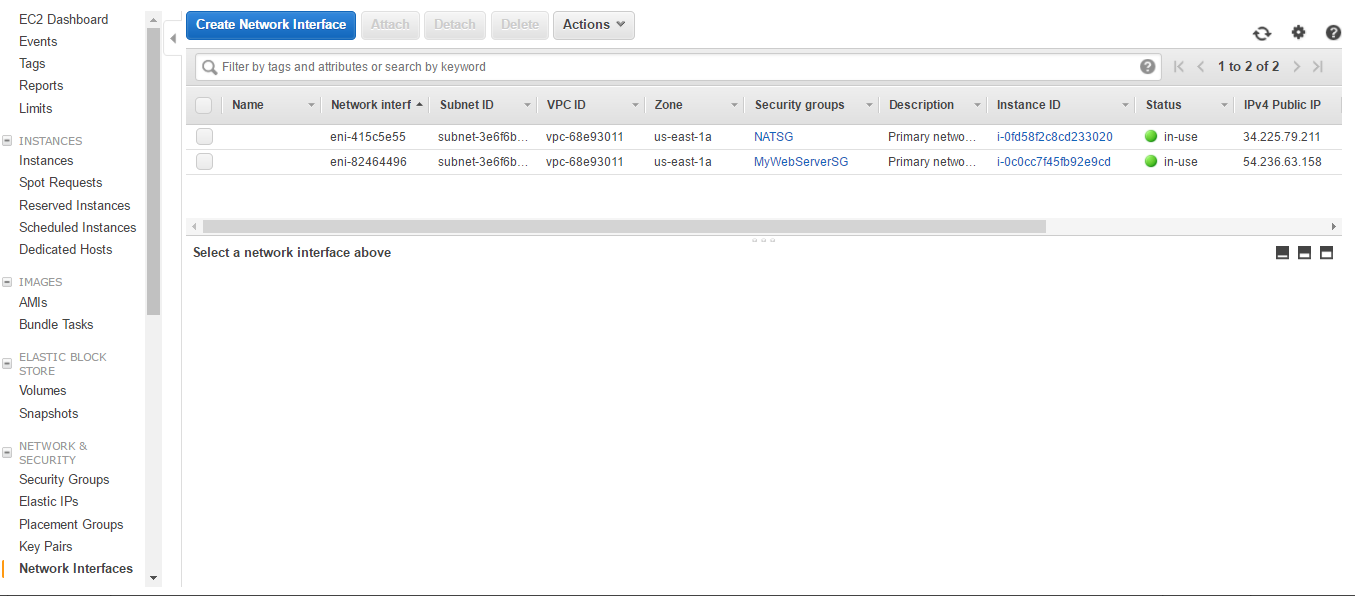
  1. Log in to the AWS account and browse to https://console.aws.amazon.com/ec2/. In the left navigation menu, choose Network Interfaces.
Network Interface Dashboard
  1. Click on Create Network Interface.

Network Interface Creation Details
  1. In Description, provide the name. In Subnet, choose subnet where the NIC needs to be created. Leave IPv4 Private IP and IPv6 IP; they will be created as per CIDR range of subnet. Select Security Group. Otherwise, you can mention the IP address from the CIDR range. Click on Yes, Create.

Network Interface Detail
  1. You can see that only one network interface is created. However, its status is available as it is not attached to any instance. Click on the Attach button.
Network Interface Creation
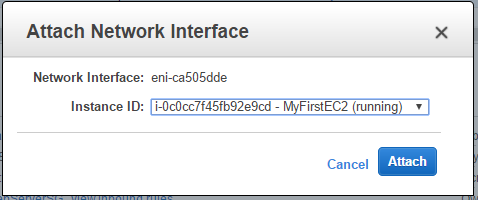
  1. Choose the EC2 Instance ID with which you want to attach it. Click Attach.
Network Interface attached
  1. You can see that the interface is in use. You can Detach it and attach it to some other instance. From the Action menu you can manage the ENI. Click on Instance ID.
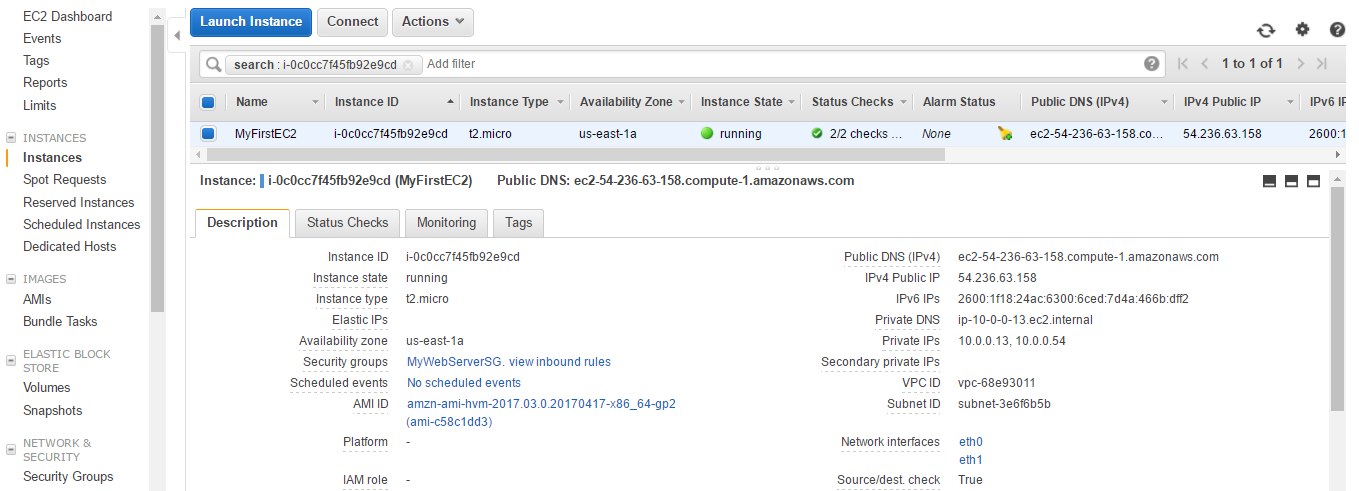
EC2 with two Network Interface
  1. You can see two private IPs and two network interfaces eth0 and eth1.
CONTINUE READING
83
Tech Concepts
36
Programming languages
73
Tech Tools
Icon Unlimited access to the largest independent learning library in tech of over 8,000 expert-authored tech books and videos.
Icon Innovative learning tools, including AI book assistants, code context explainers, and text-to-speech.
Icon 50+ new titles added per month and exclusive early access to books as they are being written.
AWS Networking Cookbook
notes
bookmark Notes and Bookmarks search Search in title playlist Add to playlist download Download options font-size Font size

Change the font size

margin-width Margin width

Change margin width

day-mode Day/Sepia/Night Modes

Change background colour

Close icon Search
Country selected

Close icon Your notes and bookmarks

Confirmation

Modal Close icon
claim successful

Buy this book with your credits?

Modal Close icon
Are you sure you want to buy this book with one of your credits?
Close
YES, BUY

Submit Your Feedback

Modal Close icon
Modal Close icon
Modal Close icon