Sign In Start Free Trial
Account

Add to playlist

Create a Playlist

Modal Close icon
You need to login to use this feature.
  • Book Overview & Buying Instant Getting Started with VMware Fusion
  • Table Of Contents Toc
Instant Getting Started with VMware Fusion

Instant Getting Started with VMware Fusion

By : Michael Roy
3.8 (4)
close
close
Instant Getting Started with VMware Fusion

Instant Getting Started with VMware Fusion

3.8 (4)
By: Michael Roy

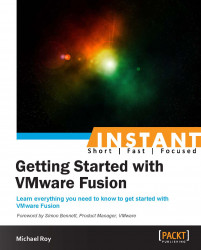
Overview of this book

Running Windows on your Mac can seem complicated, but this book will make things easy by showing you how to get the most out of VMware Fusion. Having a virtual copy of Windows on your Mac can let you make a secure backup of your files and run Windows applications, which makes your computer more versatile. This book will show you how to start running Windows on your Mac, with practical examples of how to keep your Virtual Machine secure, backed up, and running smoothly. You will learn about the new features of VMware Fusion 6 and where to get help and support for the software when you need it. This book will walk you through what you need to know to safely and securely run Windows on your Mac. It then proceeds to show you how to upgrade to Windows 8, and shows you how you can seamlessly switch between Windows 7 and Windows 8 using snapshots. Next, it covers all that you need to know to safely and securely run Windows on a Mac computer with Intel processors. You will also learn how to manage your Virtual Machine backups and keep your VM safe. The recipes in this book will give you a helpful head start in getting the most out of VMware Fusion 6.
Table of Contents (8 chapters)
close
close

"I'm stuck, now what?" (Simple)


If you run into trouble, here's a great set of resources to look up.

Getting ready

To call VMware, it's good to have a My VMware account first. If you purchased Fusion directly from VMware, you're good. If you bought a box copy somewhere else, make sure you register your copy of Fusion at my.vmware.com before calling.

How to do it...

The following is a list of basic resources that you can use to help you get set up. These resources are also very handy in case you run into any issues while using the software:

  1. Register VMware Fusion at http://vmware.com/registernow.

  2. Go to VMware Fusion Community Forums at http://communities.vmware.com/community/vmtn/fusion.

  3. Go to the VMware Fusion Resources at http://vmware.com/go/fusionresources.

  4. View free support offerings for Fusion and Workstation, available at http://www.vmware.com/support/services/complimentary.html.

  5. Call VMware directly at 1-877-486-9273 (1-877-4-VMware).

CONTINUE READING
83
Tech Concepts
36
Programming languages
73
Tech Tools
Icon Unlimited access to the largest independent learning library in tech of over 8,000 expert-authored tech books and videos.
Icon Innovative learning tools, including AI book assistants, code context explainers, and text-to-speech.
Icon 50+ new titles added per month and exclusive early access to books as they are being written.
Instant Getting Started with VMware Fusion
notes
bookmark Notes and Bookmarks search Search in title playlist Add to playlist font-size Font size

Change the font size

margin-width Margin width

Change margin width

day-mode Day/Sepia/Night Modes

Change background colour

Close icon Search
Country selected

Close icon Your notes and bookmarks

Confirmation

Modal Close icon
claim successful

Buy this book with your credits?

Modal Close icon
Are you sure you want to buy this book with one of your credits?
Close
YES, BUY

Submit Your Feedback

Modal Close icon
Modal Close icon
Modal Close icon