
Sign In Start Free Trial
Account

Add to playlist

Create a Playlist

Modal Close icon
You need to login to use this feature.
  • Book Overview & Buying Mobile DevOps
  • Table Of Contents Toc
Mobile DevOps

Mobile DevOps

By : Tak, Modi
3.5 (2)
close
close
Mobile DevOps

Mobile DevOps

3.5 (2)
By: Tak, Modi

Overview of this book

Today's world is all about perfection, and there are hundreds of applications that are released each day out of which only a few succeed. Making sure that the app looks, performs, and behaves as expected is one of the biggest challenge developers face today. The main goal of this book is to teach developers to implement DevOps to build, test, and deliver. This book will teach you to implement Mobile DevOps at every stage of your application's lifecycle with Visual Studio and Xamarin Mobile Lifecycle solutions. Later, it will also show you how to leverage Mobile Center's continuous integration and automated testing to develop a high-quality applications. Next, you’ll see how to mobilize your on-premises data to the cloud and increase your productivity with code reuse. Finally, you’ll discover how to find and fix bugs beforehand, improving the efficiency of your application while it is being developed. By the end of this book, you will be well-versed with Mobile DevOps techniques, delivering high quality and high performance mobile apps.
Table of Contents (13 chapters)
close
close

Creating a test run for your application

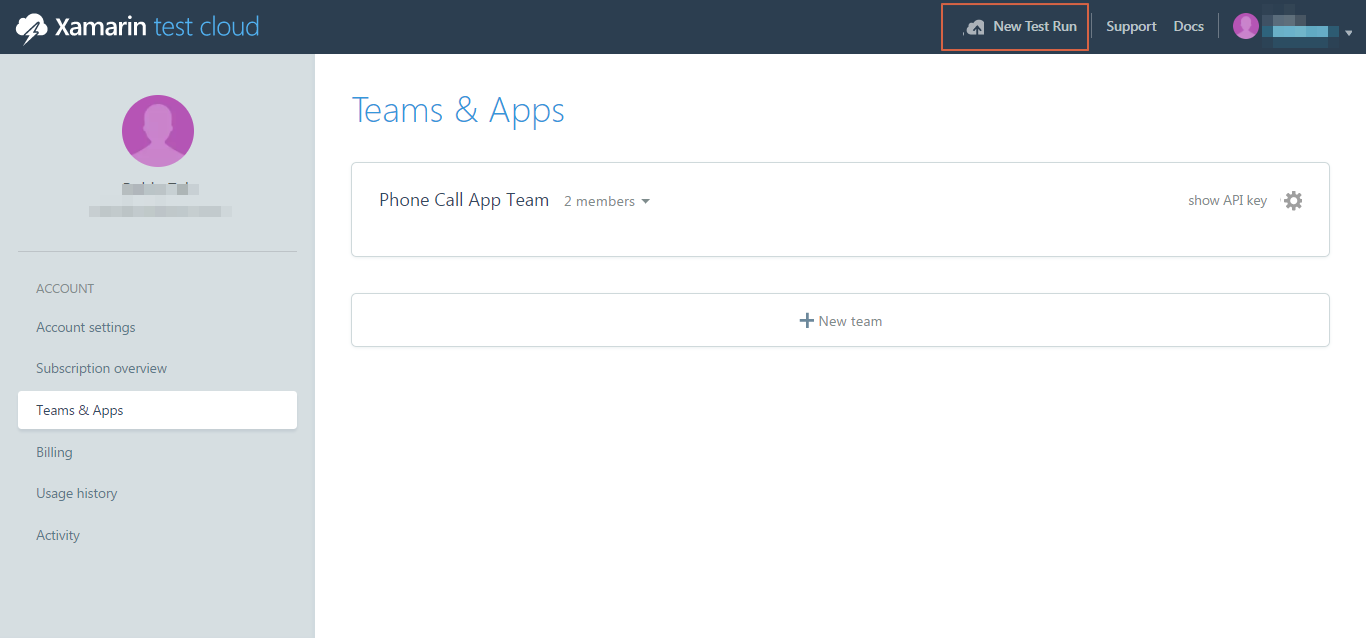
Now that we have added a team and members to it, it's time to add our application test run to it as well. To create a test run for PhoneCallApp, follow these steps:

  1. In Xamarin Test Cloud, click on New Test Run:
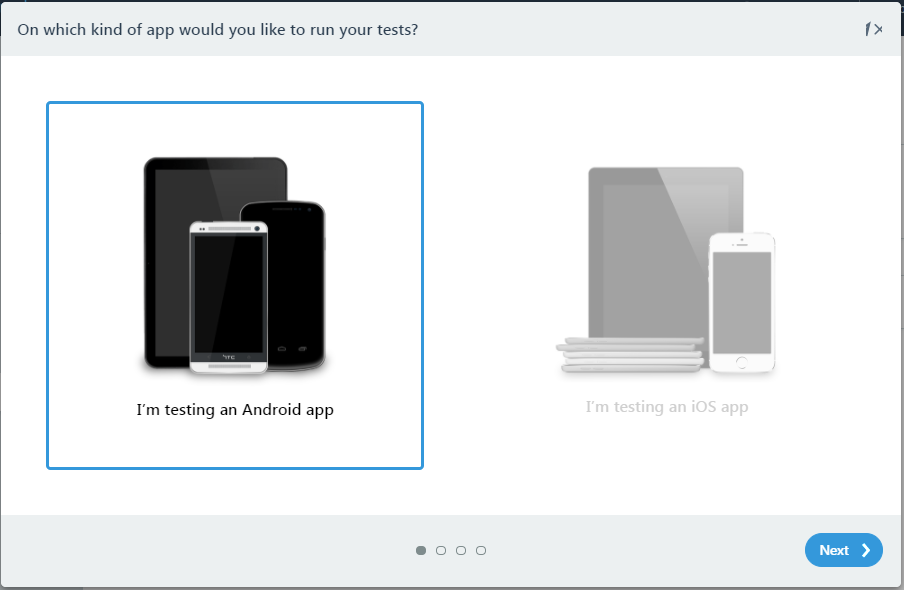
  1. This will open a self-guiding dialog box, where we can select the platform and choose devices.
  1. In the first step in the dialog box, select I'm testing an Android app and click Next:
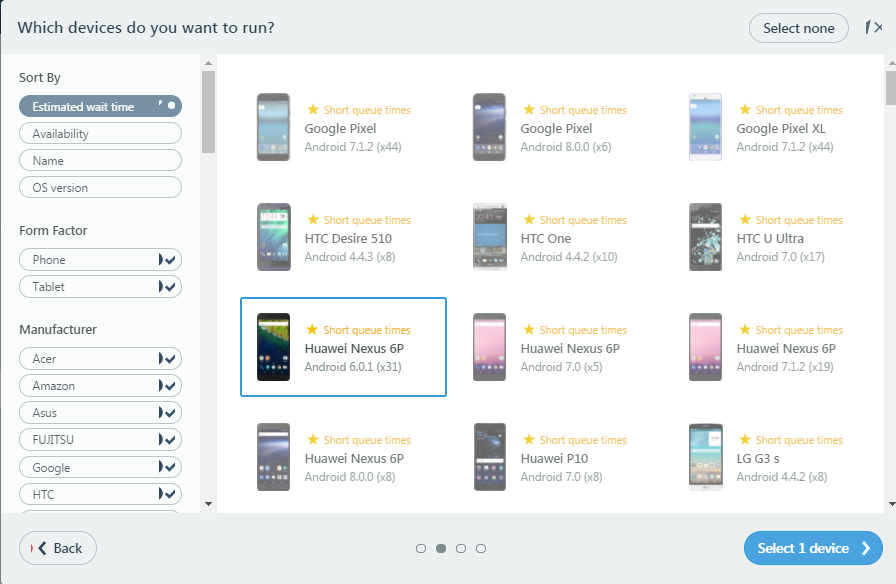
  1. Select appropriate devices to run your application on and go to the next step:
  1. Select an appropriate Test series, or you can create a new one, select the language, and click Next:
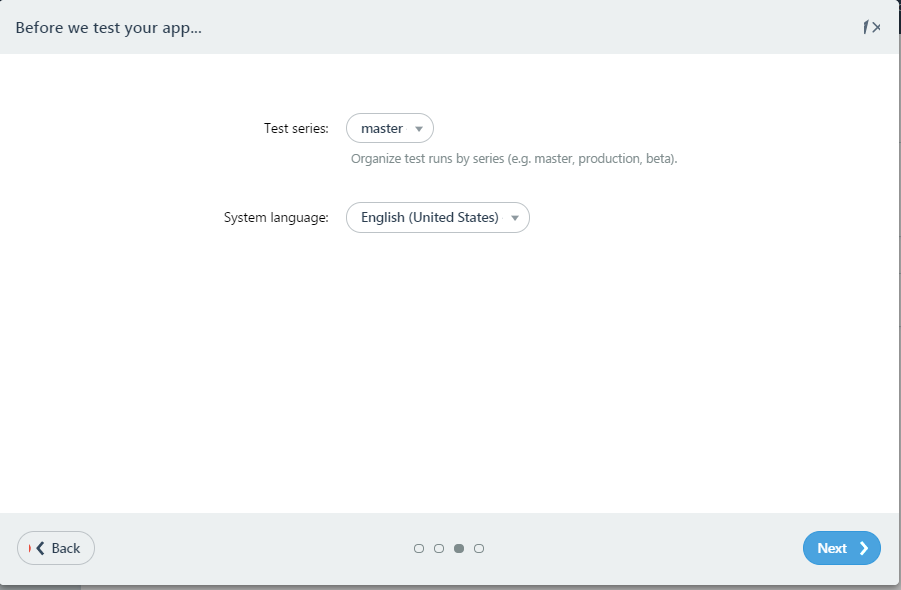
  1. Select UITest on the next screen and click on Running on Windows:
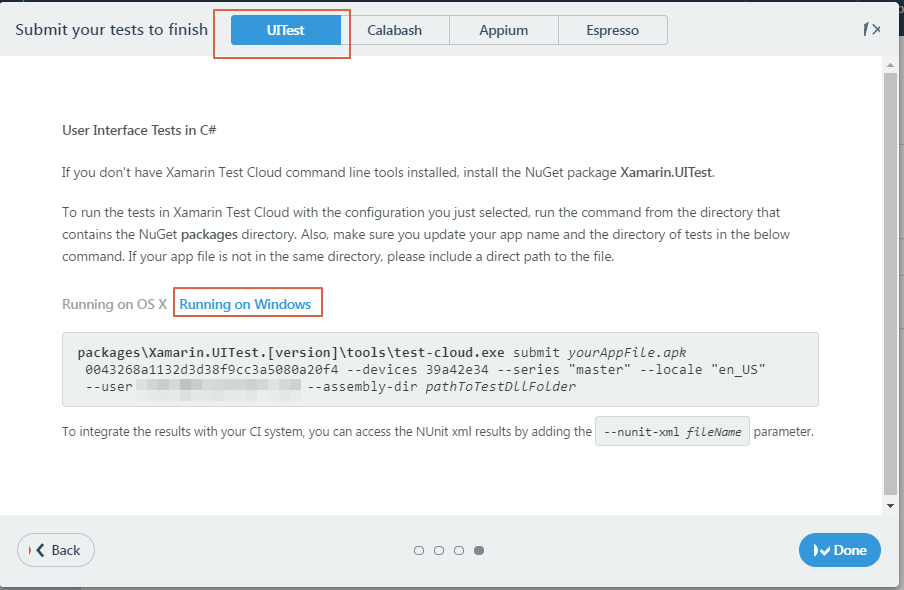
  1. This page gives us a command with a device ID according the devices we selected in previous steps. As it says, please update the directory path to the .apk test assembly bin folder...
CONTINUE READING
83
Tech Concepts
36
Programming languages
73
Tech Tools
Icon Unlimited access to the largest independent learning library in tech of over 8,000 expert-authored tech books and videos.
Icon Innovative learning tools, including AI book assistants, code context explainers, and text-to-speech.
Icon 50+ new titles added per month and exclusive early access to books as they are being written.
Mobile DevOps
notes
bookmark Notes and Bookmarks search Search in title playlist Add to playlist download Download options font-size Font size

Change the font size

margin-width Margin width

Change margin width

day-mode Day/Sepia/Night Modes

Change background colour

Close icon Search
Country selected

Close icon Your notes and bookmarks

Confirmation

Modal Close icon
claim successful

Buy this book with your credits?

Modal Close icon
Are you sure you want to buy this book with one of your credits?
Close
YES, BUY

Submit Your Feedback

Modal Close icon
Modal Close icon
Modal Close icon