




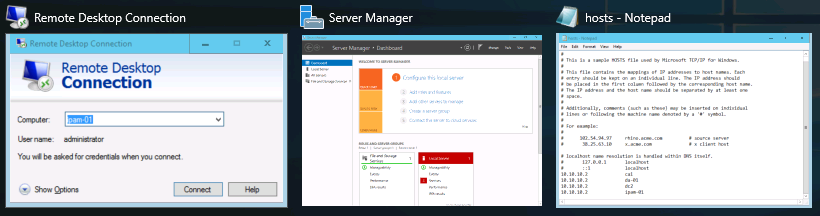
Task View is a new feature as of Windows 10 and Windows Server 2016, which carries over to Server 2019. It is a similar idea as that of holding down the Alt key and then pressing Tab in order to cycle through the applications that you currently have running. For anyone who has never tried that, go ahead and hold down those two keys on your keyboard right now. Depending on what version of Windows you are running, your screen might look slightly different than this, but, in effect, it's the same information. You can see all of the programs you currently have open, and you can cycle through them from left to right using additional presses of the Tab button. Alternatively, use Alt + Shift + Tab in order to cycle through them in reverse order. When you have many windows open, it is perhaps easier to simply use the mouse to jump to any specific window:
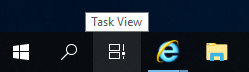
Task View is quite a bit more powerful than this, because it adds the capability of managing multiple full-desktops' worth of windows and applications. For example, if you were working on two different projects on the same server, and each project required you to have many different windows open at the same time, you would start to burn a lot of time switching back and forth between all of your different apps and windows in order to find what you were looking for. Using Task View, you could leave all of your open windows for the first project on your first desktop, and open all of the windows dealing with the second project on a second desktop. Then, with two clicks you can easily switch back and forth between the different desktops, using the Task View button. By default, Task View is the little button down in the taskbar, immediately to the right of the Search magnifying glass near the Start button. Go ahead and click on it now, it looks like this:
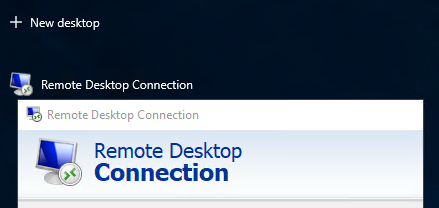
You now see a listing of your currently open windows; this looks very similar to the Alt + Tab functionality we looked at earlier. The difference is the little button near the top-left corner that says New desktop. Go ahead and click on that now:
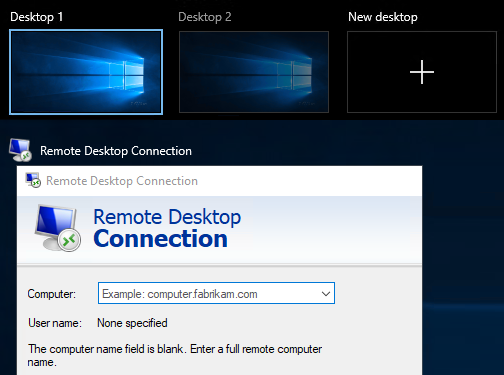
Now, you will see Desktop 1 and Desktop 2 available for you to use. You can click on Desktop 2 and open some new programs, or you can even drag and drop existing windows between different desktops, right on this Task View screen:
Task View is a great way to stay organized and efficient by utilizing multiple desktops on the same server. I suppose it is kind of like running dual monitors, or three or four or more, all from a single physical monitor screen.


