Sign In Start Free Trial
Account

Add to playlist

Create a Playlist

Modal Close icon
You need to login to use this feature.
  • Book Overview & Buying Unity Android Game Development by Example Beginner's Guide
  • Table Of Contents Toc
Unity Android Game Development by Example Beginner's Guide

Unity Android Game Development by Example Beginner's Guide

By : Thomas James Finnegan
3.9 (15)
close
close
Unity Android Game Development by Example Beginner's Guide

Unity Android Game Development by Example Beginner's Guide

3.9 (15)
By: Thomas James Finnegan

Overview of this book

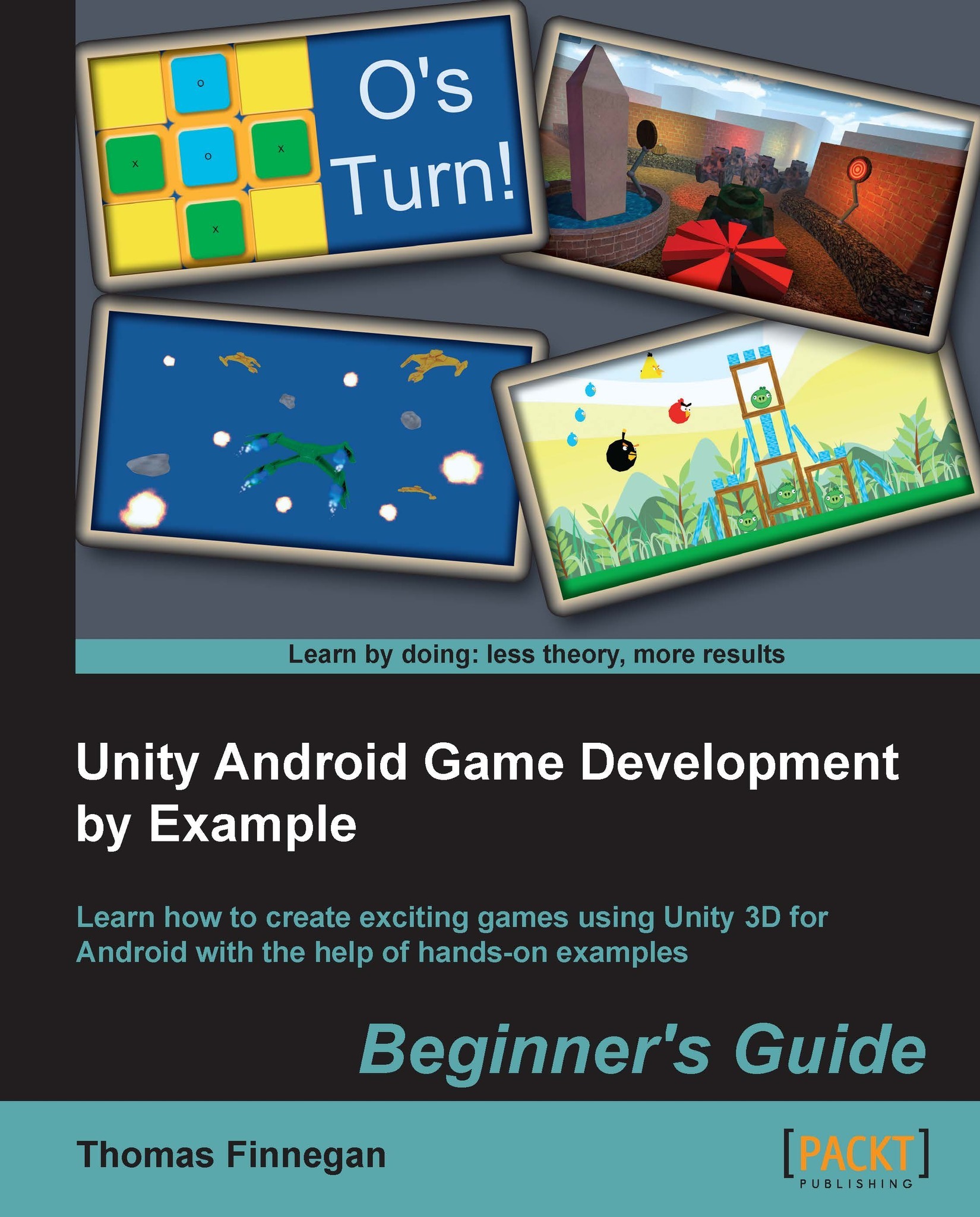
Powerful and continuing to grow, the mobile market has never been bigger and more demanding of great games. Android continues to prove itself as a strong contender in this challenging market. With Unity 3D, great games can be made for Android quickly and easily. With its great deployment system, the Android platform is now only one click away. Unity Android Game Development by Example Beginner's Guide dives straight into making real, fully-functional games, with hands-on examples and step-by-step instructions to give you a firm grounding in Unity 3D and Android. Everything necessary for creating a complete gaming experience is covered and detailed throughout the course of this book. Using clear and practical examples that progressively build upon each other, this book guides you through the process of creating games in Unity for Android. Start by learning about all the great features that Unity and Android have to offer. Next, create a Tic-Tac-Toe game while learning all about interfaces. After that, learn about meshes, materials, and animations with the creation of a tank battle game. You will then learn how to expand your game's environment with the addition of shadows and a skybox. Adding on this, you will also learn how to expand the tank battle by creating enemies and using path finding to chase the player. Next, explore touch and tilt controls with the creation of a space fighter game. Then, learn about physics while recreating the most popular mobile game on the market. You will then expand the space fighter game with the addition of all the special effects that make a game great. Finally, complete your experience by learning the optimization techniques required to keep your games running smoothly. While Unity is available for both Mac and Windows, the book is presented working from a Windows environment. Programming in Unity is possible in C#, JavaScript, and Boo. This book will be working in C# and the final projects will be provided in C# and JavaScript. From nothing to a fully-featured mobile game, Unity Android Game Development by Example Beginner's Guide takes you through everything it takes to create your next game for the Android platform.
Table of Contents (12 chapters)
close
close
11
Index

Preface

In this book, we explore the ever-expanding world of mobile game development. Using Unity 3D and the Android SDK, we will learn how to create every aspect of a mobile game. Every chapter explores another piece of the development puzzle. Exploring the special features of development with mobile platforms, every game in the book is designed to increase your understanding of these features. We also finish the book with a total of four complete games and all of the tools we need to create many more.

The first game that we make is Tic-tac-toe. This game functions just as the classic paper version. Two players take turns filling a grid with their symbols; the first to make a line of three wins. It is the perfect game for us to explore the graphical interface options that we have in Unity. By learning how to add buttons, text, and pictures to the screen here, we have all of the understanding and tools needed to add any interface that we might want to any game.

The next game that we create is the Tank Battle game. The player takes control of a tank to drive around a small city and shoot targets and enemies. This game spans three chapters, allowing us to explore many key points of creating games for the Android platform. We start by creating a city and making the player's tank move around, using controls that we learned about when making the Tic-tac-toe game. We also create and animate the targets that the player will shoot at. In the second part of this game, we add some lighting and special camera effects. By the end of the chapter, the environment looks great. In the third part of the game's creation, we create some enemies. Using the power of Unity, these enemies chase the player throughout the city, and attack when they are close.

The third game to be completed is a simple clone of a popular mobile game. Using the power of Unity's physics system, we are able to create structures and throw birds at them. Knock down the structures to gain points, and destroy the target pigs to win the level. We also take the time to explore some of the specific features of a 2D game, such as a parallax scrolling background, and how they can be achieved in Unity. We complete the chapter and the game with the creation of a level selection menu.

Finally, we create the Space Fighter game. This game involves using the special inputs of a mobile device to control the player's ship. As the player's device is tilted, they will be able to steer the ship. When they touch the screen, they can shoot at the enemy ships and asteroids. The second part of this game involves including the special effects that complete the look of every game. We create explosions when ships are destroyed, and engine trails for the ships. We also add the sound effects for shooting and exploding.

The book wraps up with a look at optimization. We explore all of the great features of Unity, and even create a few of our own to make our game run as best as it can. We also take a little bit of time to understand some things that we can do to minimize the file size of our assets while maximizing their look and effect in the game. At this point, our journey ends, but we have four great games that are just about ready to go to market.

CONTINUE READING
83
Tech Concepts
36
Programming languages
73
Tech Tools
Icon Unlimited access to the largest independent learning library in tech of over 8,000 expert-authored tech books and videos.
Icon Innovative learning tools, including AI book assistants, code context explainers, and text-to-speech.
Icon 50+ new titles added per month and exclusive early access to books as they are being written.
Unity Android Game Development by Example Beginner's Guide
notes
bookmark Notes and Bookmarks search Search in title playlist Add to playlist font-size Font size

Change the font size

margin-width Margin width

Change margin width

day-mode Day/Sepia/Night Modes

Change background colour

Close icon Search
Country selected

Close icon Your notes and bookmarks

Confirmation

Modal Close icon
claim successful

Buy this book with your credits?

Modal Close icon
Are you sure you want to buy this book with one of your credits?
Close
YES, BUY

Submit Your Feedback

Modal Close icon
Modal Close icon
Modal Close icon