
Sign In Start Free Trial
Account

Add to playlist

Create a Playlist

Modal Close icon
You need to login to use this feature.
  • Book Overview & Buying Mastering Selenium WebDriver 3.0
  • Table Of Contents Toc
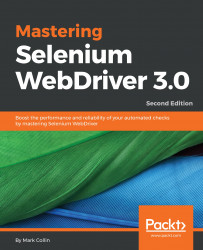
Mastering Selenium WebDriver 3.0

Mastering Selenium WebDriver 3.0 - Second Edition

3.3 (3)
close
close
Mastering Selenium WebDriver 3.0

Mastering Selenium WebDriver 3.0

3.3 (3)

Overview of this book

The second edition of Mastering Selenium 3.0 WebDriver starts by showing you how to build your own Selenium framework with Maven. You'll then look at how you can solve the difficult problems that you will undoubtedly come across as you start using Selenium in an enterprise environment and learn how to produce the right feedback when failing. Next, you’ll explore common exceptions that you will come across as you use Selenium, the root causes of these exceptions, and how to fix them. Along the way, you’ll use Advanced User Interactions APIs, running any JavaScript you need through Selenium; and learn how to quickly spin up a Selenium Grid using Docker containers. In the concluding chapters, you‘ll work through a series of scenarios that demonstrate how to extend Selenium to work with external libraries and applications so that you can be sure you are using the right tool for the job.
Table of Contents (15 chapters)
close
close

So, what should we do with it?

Let's have a look at some examples of the things that we can do with the JavaScript executor that aren't really possible using the base Selenium API.

First of all, we will start off by getting the element text.

Wait a minute, element text? That's easy. You can use the existing Selenium API with the following code:

WebElement myElement = driver.findElement(By.id("foo")); 
String elementText = myElement.getText(); 

So, why would we want to use a JavaScript executor to find the text of an element?

Getting text is easy using the Selenium API, but only under certain conditions. The element that you are collecting the text from needs to be displayed. If Selenium thinks that the element from which you are collecting the text is not displayed, it will return an empty string. If you want to collect some text from a hidden element...

CONTINUE READING
83
Tech Concepts
36
Programming languages
73
Tech Tools
Icon Unlimited access to the largest independent learning library in tech of over 8,000 expert-authored tech books and videos.
Icon Innovative learning tools, including AI book assistants, code context explainers, and text-to-speech.
Icon 50+ new titles added per month and exclusive early access to books as they are being written.
Mastering Selenium WebDriver 3.0
notes
bookmark Notes and Bookmarks search Search in title playlist Add to playlist download Download options font-size Font size

Change the font size

margin-width Margin width

Change margin width

day-mode Day/Sepia/Night Modes

Change background colour

Close icon Search
Country selected

Close icon Your notes and bookmarks

Confirmation

Modal Close icon
claim successful

Buy this book with your credits?

Modal Close icon
Are you sure you want to buy this book with one of your credits?
Close
YES, BUY

Submit Your Feedback

Modal Close icon
Modal Close icon
Modal Close icon