
Sign In Start Free Trial
Account

Add to playlist

Create a Playlist

Modal Close icon
You need to login to use this feature.
  • Book Overview & Buying NetSuite for Consultants
  • Table Of Contents Toc
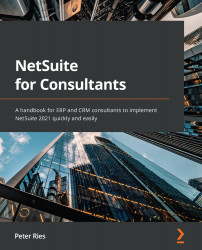
NetSuite for Consultants

NetSuite for Consultants

By : Peter Ries
4.7 (7)
close
close
NetSuite for Consultants

NetSuite for Consultants

4.7 (7)
By: Peter Ries

Overview of this book

NetSuite For Consultants takes a hands-on approach to help ERP and CRM consultants implement NetSuite quickly and efficiently, as well deepen their understanding of its implementation methodology. During the course of this book, you’ll get a clear picture of what NetSuite is, how it works, and how accounts, support, and updates work within its ecosystem. Understanding what a business needs is a critical first step toward completing any software product implementation, so you'll learn how to write business requirements by learning about the various departments, roles, and processes in the client's organization. Once you've developed a solid understanding of NetSuite and your client, you’ll be able to apply your knowledge to configure accounts and test everything with the users. You’ll also learn how to manage both functional and technical issues that arise post-implementation and handle them like a professional. By the end of this book, you'll have gained the necessary skills and knowledge to implement NetSuite for businesses and get things up and running in the shortest possible time.
Table of Contents (27 chapters)
close
close
1
Section 1: The NetSuite Ecosystem, including the Main Modules, Platform, and Related Features
5
Section 2: Understanding the Organization You Will Implement the Solution for
11
Section 3: Implementing an Organization in NetSuite
21
Section 4: Managing Gaps and Integrations
1
Appendix: My Answers to Self-Assessments

Use case – setting up and using the Customer center

As a deeper dive, let's explore what is involved in setting up the Customer center. NetSuite sells licenses for this UI to businesses who want to let their customers log in to a limited version of the system, and to access just the things they create within that context. For customers, that means sales orders and invoices, and payments they've made.

Setting this up is simple, once you've purchased the licenses from NetSuite. First, we need to create a custom copy of the standard Customer center role. That's done in the Setup | Users/Roles | Manage Roles screen. When customizing the role, it's generally a good idea to start simple; don't make many changes at first. Then, set up a customer with access for using that role/accessing the center and test that a bit with your client so that they can see what the experience is like in its default state. They will almost always find things they want...

CONTINUE READING
83
Tech Concepts
36
Programming languages
73
Tech Tools
Icon Unlimited access to the largest independent learning library in tech of over 8,000 expert-authored tech books and videos.
Icon Innovative learning tools, including AI book assistants, code context explainers, and text-to-speech.
Icon 50+ new titles added per month and exclusive early access to books as they are being written.
NetSuite for Consultants
notes
bookmark Notes and Bookmarks search Search in title playlist Add to playlist font-size Font size

Change the font size

margin-width Margin width

Change margin width

day-mode Day/Sepia/Night Modes

Change background colour

Close icon Search
Country selected

Close icon Your notes and bookmarks

Confirmation

Modal Close icon
claim successful

Buy this book with your credits?

Modal Close icon
Are you sure you want to buy this book with one of your credits?
Close
YES, BUY

Submit Your Feedback

Modal Close icon
Modal Close icon
Modal Close icon