Sign In Start Free Trial
Account

Add to playlist

Create a Playlist

Modal Close icon
You need to login to use this feature.
  • Book Overview & Buying Deploying Microsoft 365 Teamwork: Exam MS-300 Guide
  • Table Of Contents Toc
Deploying Microsoft 365 Teamwork: Exam MS-300 Guide

Deploying Microsoft 365 Teamwork: Exam MS-300 Guide

By : Aaron Guilmette
4.3 (4)
close
close
Deploying Microsoft 365 Teamwork: Exam MS-300 Guide

Deploying Microsoft 365 Teamwork: Exam MS-300 Guide

4.3 (4)
By: Aaron Guilmette

Overview of this book

The Microsoft MS-300 exam is designed to test the knowledge and skills of administrators in deploying, configuring, and managing SharePoint Online, SharePoint Server, SharePoint Hybrid, OneDrive for Business, and Teams. This book offers up-to-date coverage of the important topics based on the MS-300 exam and features question answers and insider tips to help you prepare for certification. Written in a clear, succinct way, the book starts by helping you configure and manage SharePoint Online. You’ll then delve into OneDrive for Business, right from managing users and groups, through to monitoring sharing and security. Further chapters will guide you through working with Teams, with an emphasis on managing identity authentication, resolving issues with the service, and even observing usage patterns. Later, you’ll get up to speed with workload integrations, covering the Yammer business communications platform, before moving on to understand how to integrate Microsoft Stream with SharePoint, Teams, and Yammer. Finally, you’ll learn to develop data governance and user adoption strategies. By the end of this book, you'll be well-versed with SharePoint Online and have learned the essential techniques and concepts you need to know in order to pass the MS-300 certification exam.
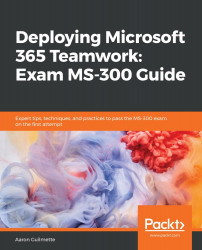
Table of Contents (24 chapters)
close
close
22
Assessment Answers

Monitoring Search Usage Reports and Crawl Logs

Like any environment, SharePoint environments should be monitored for both statistical and operational activities. There are a number of usage reports available that can surface information regarding top searches and which query rules are hit. There are four main data sources to review:

  • SharePoint Admin Center Classic Reports
  • Office 365 SharePoint Site Usage Reports
  • Office 365 SharePoint Activity Reports
  • Crawl Logs

We'll take a look at each of these reporting areas and what they contain in this section.

SharePoint Admin Center Classic Reports

SharePoint Admin Center classic reports are traditional SharePoint reports. To view these reports, follow these steps:

  1. Navigate...
CONTINUE READING
83
Tech Concepts
36
Programming languages
73
Tech Tools
Icon Unlimited access to the largest independent learning library in tech of over 8,000 expert-authored tech books and videos.
Icon Innovative learning tools, including AI book assistants, code context explainers, and text-to-speech.
Icon 50+ new titles added per month and exclusive early access to books as they are being written.
Deploying Microsoft 365 Teamwork: Exam MS-300 Guide
notes
bookmark Notes and Bookmarks search Search in title playlist Add to playlist download Download options font-size Font size

Change the font size

margin-width Margin width

Change margin width

day-mode Day/Sepia/Night Modes

Change background colour

Close icon Search
Country selected

Close icon Your notes and bookmarks

Confirmation

Modal Close icon
claim successful

Buy this book with your credits?

Modal Close icon
Are you sure you want to buy this book with one of your credits?
Close
YES, BUY

Submit Your Feedback

Modal Close icon
Modal Close icon
Modal Close icon