
Sign In Start Free Trial
Account

Add to playlist

Create a Playlist

Modal Close icon
You need to login to use this feature.
  • Book Overview & Buying Learn Swift by Building Applications
  • Table Of Contents Toc
  • Feedback & Rating feedback
Learn Swift by Building Applications

Learn Swift by Building Applications

By : Giordano Scalzo, Emil Atanasov
3.5 (2)
close
close
Learn Swift by Building Applications

Learn Swift by Building Applications

3.5 (2)
By: Giordano Scalzo, Emil Atanasov

Overview of this book

Swift Language is now more powerful than ever; it has introduced new ways to solve old problems and has gone on to become one of the fastest growing popular languages. It is now a de-facto choice for iOS developers and it powers most of the newly released and popular apps. This practical guide will help you to begin your journey with Swift programming through learning how to build iOS apps. You will learn all about basic variables, if clauses, functions, loops, and other core concepts; then structures, classes, and inheritance will be discussed. Next, you’ll dive into developing a weather app that consumes data from the internet and presents information to the user. The final project is more complex, involving creating an Instagram like app that integrates different external libraries. The app also uses CocoaPods as its package dependency manager, to give you a cutting-edge tool to add to your skillset. By the end of the book, you will have learned how to model real-world apps in Swift.
Table of Contents (14 chapters)
close
close
5
Adding Interactivity to Your First App

Exploring Xcode

The Xcode application is installed and it is running. You will see the following start screen:
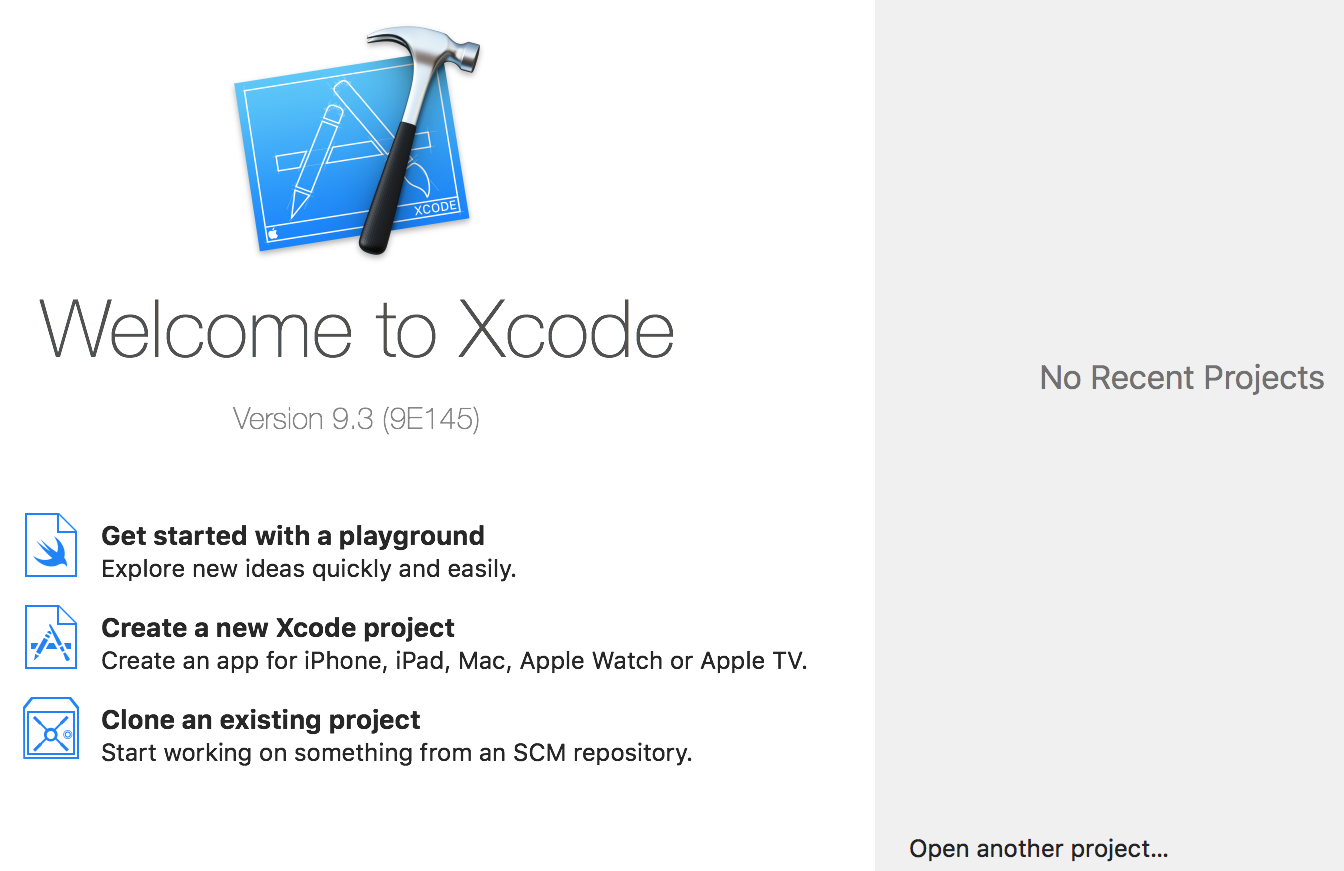
On the right, you will see No Recent Projects, but this just shows a list of the last few projects you have worked on. On the left, you will see the version of Xcode 9.3 and a few shortcuts. We will start with the first one to get familiar with the playground. Go and click Get started with a playground. A new window is displayed, as shown in the following screenshot. Don't panic; this is the window in which you have to select the template for your playground project. For now, we will stick to iOS:
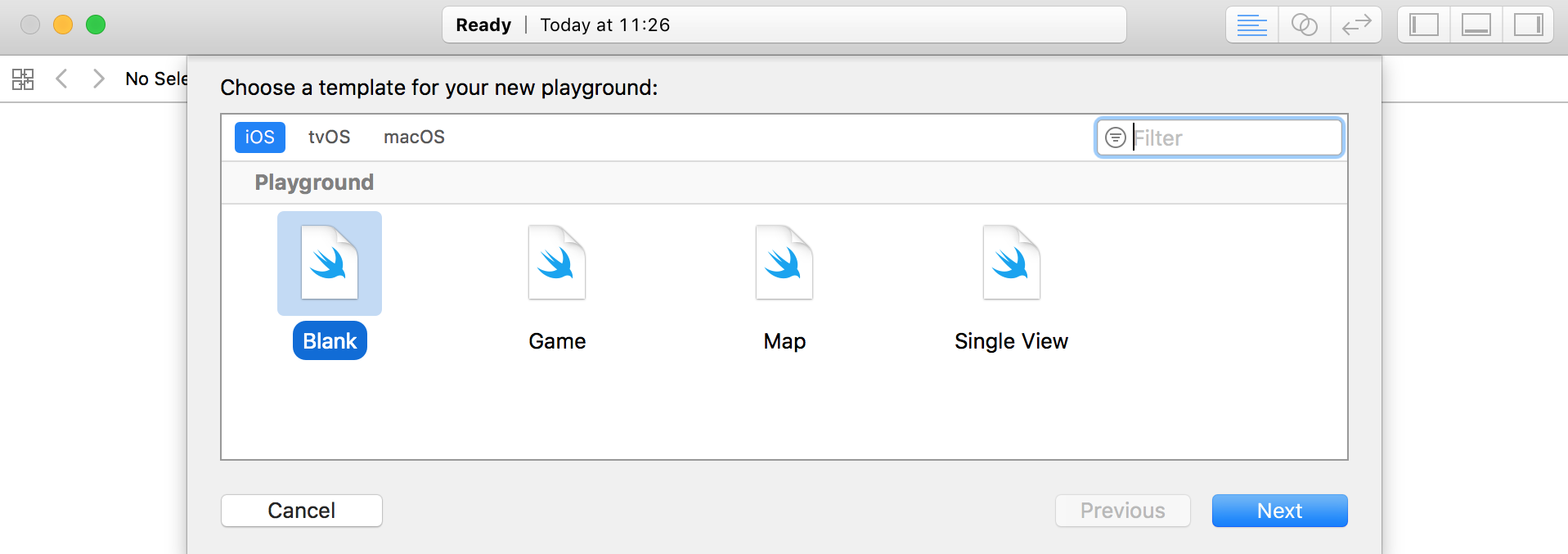
When you click Next, you have to enter the name of the playground. Let's start with Swift 4 by examples. We can change the platform if we want to explore the different features of other platforms. Xcode has a really powerful simulator which can simulate different...

Visually different images
CONTINUE READING
83
Tech Concepts
36
Programming languages
73
Tech Tools
Icon Unlimited access to the largest independent learning library in tech of over 8,000 expert-authored tech books and videos.
Icon Innovative learning tools, including AI book assistants, code context explainers, and text-to-speech.
Icon 50+ new titles added per month and exclusive early access to books as they are being written.
Learn Swift by Building Applications
notes
bookmark Notes and Bookmarks search Search in title playlist Add to playlist download Download options font-size Font size

Change the font size

margin-width Margin width

Change margin width

day-mode Day/Sepia/Night Modes

Change background colour

Close icon Search
Country selected

Close icon Your notes and bookmarks

Confirmation

Modal Close icon
claim successful

Buy this book with your credits?

Modal Close icon
Are you sure you want to buy this book with one of your credits?
Close
YES, BUY

Submit Your Feedback

Modal Close icon
Modal Close icon
Modal Close icon