-
Book Overview & Buying
-
Table Of Contents

Scribus 1.3.5: Beginner's Guide


Scribus 1.3.5: Beginner's Guide
Overview of this book
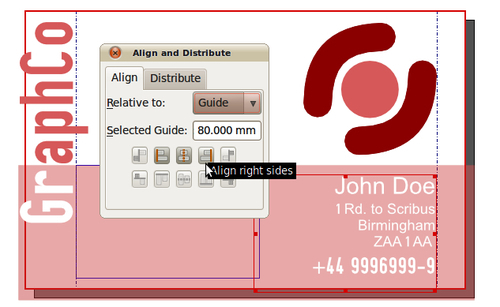
Scribus is an Open Source program that brings award-winning and inexpensive professional page layout to desktop computers with a combination of "press-ready" output and new approaches to page layout. Creating professional-looking documents using Scribus is not a cakewalk, especially with so many features at your disposal, it’s hard to know where to get started! Scribus Beginners guide walks users step by step through common projects, such as creating a brochure,newsletter, business cards and so on. It also includes guidelines on starting a web newsletter and online PDF (Adobe Acrobat format) newsletter along with basic scripting to extend Scribus as per your requirements. This book begins with the simplest tasks and brings you progressively to adapt your workflow to the most efficient tools. It commences with the description of the graphic tool chain and an overall chapter on how to draw a simple and attractive business card. You'll then see how to manage the pages of your document and organized their structure thanks to guides. Then being invited to fill them with text, you'll be able to import, set text style as well as use replacement and hyphenation tool. Pictures or vector drawing will be added to the documents too. You'll be taught to choose the best format at the best time, modify or distort the shapes to get very custom documents. You will also learn how Scribus handles advanced color features such as transparencies, overprinting, spot colors precisely and be sure they are set well for a print result without bad surprise. At the end, you'll know to produce a perfect PDF file, be it for print jobs or web with effects, buttons and javascript interactivity, extend the document capacities as well as Scribus tools with simple programming especially with the python language.
Table of Contents (19 chapters)
Scribus 1.3.5 Beginner's Guide


Credits
About the Author
About the Reviewers
www.PacktPub.com
Preface
 Free Chapter
Getting Started with Scribus
Creating a First Layout

Mastering Pages
Using Text in Scribus
Formatting Your Text
Special Frames for Complex Content Management
Drawing Advanced Frames and Shapes
Importing Images
Applying and Managing Color
Print Your Layout
Customizing the Creation or Viewing Process
Pop Quiz Answers
Index