
Sign In Start Free Trial
Account

Add to playlist

Create a Playlist

Modal Close icon
You need to login to use this feature.
  • Book Overview & Buying Workflow Automation with Microsoft Power Automate
  • Table Of Contents Toc
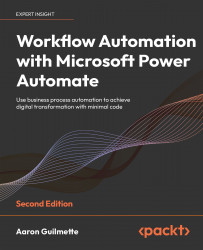
Workflow Automation with Microsoft Power Automate

Workflow Automation with Microsoft Power Automate - Second Edition

By : Aaron Guilmette
4.3 (35)
close
close
Workflow Automation with Microsoft Power Automate

Workflow Automation with Microsoft Power Automate

4.3 (35)
By: Aaron Guilmette

Overview of this book

MS Power Automate is a workflow automation tool built into MS 365 to help businesses automate repetitive tasks or trigger business processes without user intervention. It is a low-code tool that is part of the Microsoft applications framework, the Power Platform. If you are new to Power Automate, this book will give you a comprehensive introduction and a smooth transition from beginner to advanced topics to help you get up to speed with business process automation. Complete with hands-on tutorials and projects, this easy-to-follow guide will show you how to configure automation workflows for business processes between hundreds of applications, using examples within Microsoft and including third-party apps like Dropbox and Twitter. Once you understand how to use connectors, triggers, and actions to automate business processes, you’ll learn how to manage user input, documents, and approvals, as well as interact with databases. This edition also introduces new Power Automate features such as using robotic process automation (RPA) to automate legacy applications, interacting with the Microsoft Graph API, and working with artificial intelligence models to do sentiment analysis. By the end of this digital transformation book, you’ll have mastered the basics of using Power Automate to replace repetitive tasks with automation technology.
Table of Contents (22 chapters)
close
close
20
Other Books You May Enjoy
21
Index

Working with Email

Over the years, many business processes have been developed that use email as a storage, tracking, or processing mechanism. These processes have relied upon a combination of manual activities, third-party plugins, Component Object Model (COM) add-ins, and Visual Basic for Applications (VBA) scripting. As each version of email software changes, the technology and methods have had to change.

Instead of using discrete or custom code modules, Power Automate uses open REST-based APIs to interact with data for web services. As you learned in Chapter 1, Introducing Microsoft Power Automate, connectors are used to attach to data sources and endpoints (either to receive, retrieve, store, or send data).

Connectors are structured configuration files (typically formatted as JavaScript Object Notation or JSON) that define how Power Automate will interact with another service for automation tasks.

So what makes Power Automate different from previous automation technologies...

CONTINUE READING
83
Tech Concepts
36
Programming languages
73
Tech Tools
Icon Unlimited access to the largest independent learning library in tech of over 8,000 expert-authored tech books and videos.
Icon Innovative learning tools, including AI book assistants, code context explainers, and text-to-speech.
Icon 50+ new titles added per month and exclusive early access to books as they are being written.
Workflow Automation with Microsoft Power Automate
notes
bookmark Notes and Bookmarks search Search in title playlist Add to playlist download Download options font-size Font size

Change the font size

margin-width Margin width

Change margin width

day-mode Day/Sepia/Night Modes

Change background colour

Close icon Search
Country selected

Close icon Your notes and bookmarks

Confirmation

Modal Close icon
claim successful

Buy this book with your credits?

Modal Close icon
Are you sure you want to buy this book with one of your credits?
Close
YES, BUY

Submit Your Feedback

Modal Close icon
Modal Close icon
Modal Close icon