Sign In Start Free Trial
Account

Add to playlist

Create a Playlist

Modal Close icon
You need to login to use this feature.
  • Book Overview & Buying Learning Social Media Analytics with R
  • Table Of Contents Toc
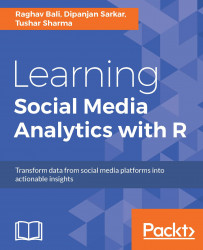
Learning Social Media Analytics with R

Learning Social Media Analytics with R

By : Dipanjan Sarkar, Karthik Ganapathy, Raghav Bali, Tushar Sharma
5 (4)
close
close
Learning Social Media Analytics with R

Learning Social Media Analytics with R

5 (4)
By: Dipanjan Sarkar, Karthik Ganapathy, Raghav Bali, Tushar Sharma

Overview of this book

The Internet has truly become humongous, especially with the rise of various forms of social media in the last decade, which give users a platform to express themselves and also communicate and collaborate with each other. This book will help the reader to understand the current social media landscape and to learn how analytics can be leveraged to derive insights from it. This data can be analyzed to gain valuable insights into the behavior and engagement of users, organizations, businesses, and brands. It will help readers frame business problems and solve them using social data. The book will also cover several practical real-world use cases on social media using R and its advanced packages to utilize data science methodologies such as sentiment analysis, topic modeling, text summarization, recommendation systems, social network analysis, classification, and clustering. This will enable readers to learn different hands-on approaches to obtain data from diverse social media sources such as Twitter and Facebook. It will also show readers how to establish detailed workflows to process, visualize, and analyze data to transform social data into actionable insights.
Table of Contents (10 chapters)
close
close
9
Index

Understanding Flickr data


Now that we have created a sample app and extracted data using it in the previous section, let us move ahead and understand more about the data we get from Flickr. We will leverage packages such as httr, plyr, piper, and so on and build on our code base, as in previous chapters.

To begin with, let's use our utility function to extract ten days' worth of data. The following snippet extracts the data using the interestingness API end point:

# Mention day count
daysAnalyze = 10

interestingDF <- lapply(1:daysAnalyze,getInterestingData) %>>%
                    ( do.call(rbind, .) )

Now, if we look at the attributes of the DataFrame generated using the previous snippet, we have details like, data, photo.id, photo.owner, photo.title and so on. Though this DataFrame is useful in terms of identifying what photographs qualify as interesting on certain days, it does little to tell us much about the photographs themselves.

So the logical next step is to find, extract...

CONTINUE READING
83
Tech Concepts
36
Programming languages
73
Tech Tools
Icon Unlimited access to the largest independent learning library in tech of over 8,000 expert-authored tech books and videos.
Icon Innovative learning tools, including AI book assistants, code context explainers, and text-to-speech.
Icon 50+ new titles added per month and exclusive early access to books as they are being written.
Learning Social Media Analytics with R
notes
bookmark Notes and Bookmarks search Search in title playlist Add to playlist download Download options font-size Font size

Change the font size

margin-width Margin width

Change margin width

day-mode Day/Sepia/Night Modes

Change background colour

Close icon Search
Country selected

Close icon Your notes and bookmarks

Confirmation

Modal Close icon
claim successful

Buy this book with your credits?

Modal Close icon
Are you sure you want to buy this book with one of your credits?
Close
YES, BUY

Submit Your Feedback

Modal Close icon
Modal Close icon
Modal Close icon