




In this chapter, we will use the Python libraries: pandas, NumPy and scikit-learn. I recommend installing the free Anaconda Python distribution (https://www.anaconda.com/distribution/), which contains all these packages.
We will also use the open source Python library called Feature-engine, which I created and can be installed using pip:
pip install feature-engine
To learn more about Feature-engine, visit the following sites:
- Home page: www.trainindata.com/feature-engine
- Docs: https://feature-engine.readthedocs.io
- GitHub: https://github.com/solegalli/feature_engine/
We will also use the Credit Approval Data Set, which is available in the UCI Machine Learning Repository (https://archive.ics.uci.edu/ml/datasets/credit+approval).
To prepare the dataset, follow these steps:
- Click on crx.data to download the data:
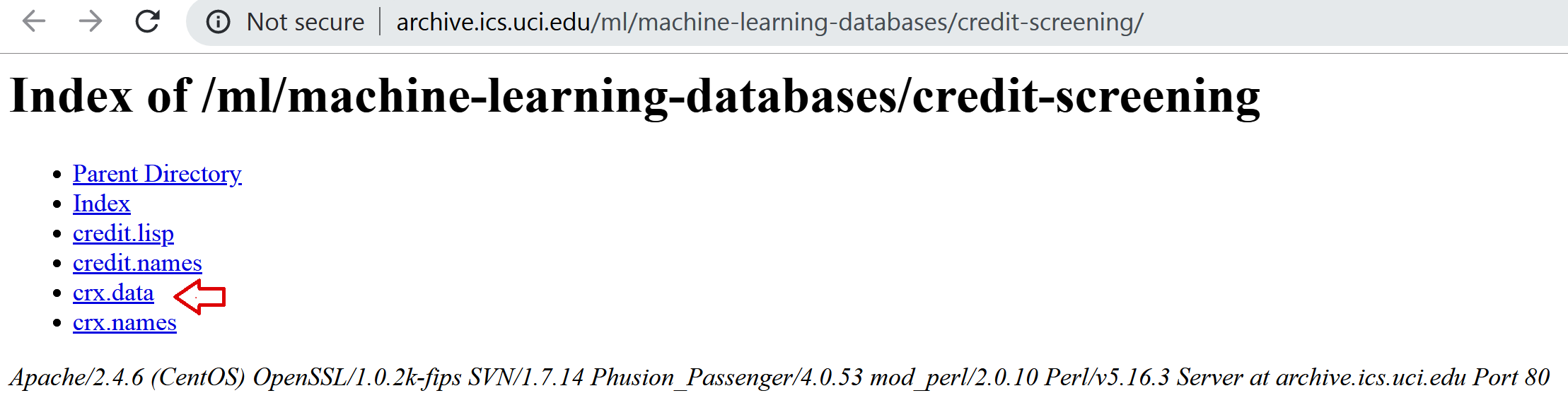
- Save crx.data to the folder where you will run the following commands.
After you've downloaded the dataset, open a Jupyter Notebook or a Python IDE and run the following commands.
- Import the required Python libraries:
import random
import pandas as pd
import numpy as np
- Load the data with the following command:
data = pd.read_csv('crx.data', header=None)
- Create a list with variable names:
varnames = ['A'+str(s) for s in range(1,17)]
- Add the variable names to the dataframe:
data.columns = varnames
- Replace the question marks (?) in the dataset with NumPy NaN values:
data = data.replace('?', np.nan)
- Recast the numerical variables as float data types:
data['A2'] = data['A2'].astype('float')
data['A14'] = data['A14'].astype('float')
- Recode the target variable as binary:
data['A16'] = data['A16'].map({'+':1, '-':0})
To demonstrate the recipes in this chapter, we will introduce missing data at random in four additional variables in this dataset.
- Add some missing values at random positions in four variables:
random.seed(9001)
values = set([random.randint(0, len(data)) for p in range(0, 100)])
for var in ['A3', 'A8', 'A9', 'A10']:
   data.loc[values, var] = np.nan
With random.randint(), we extracted random digits between 0 and the number of observations in the dataset, which is given by len(data), and used these digits as the indices of the dataframe where we introduce the NumPy NaN values.
- Save your prepared data:
data.to_csv('creditApprovalUCI.csv', index=False)
Now, you are ready to carry on with the recipes in this chapter.


