Sign In Start Free Trial
Account

Add to playlist

Create a Playlist

Modal Close icon
You need to login to use this feature.
  • Book Overview & Buying Google Workspace User Guide
  • Table Of Contents Toc
  • Feedback & Rating feedback
Google Workspace User Guide

Google Workspace User Guide

By : Balaji Iyer
4.4 (5)
close
close
Google Workspace User Guide

Google Workspace User Guide

4.4 (5)
By: Balaji Iyer

Overview of this book

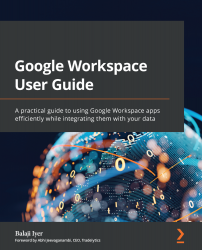
Google Workspace has evolved from individual Google services to a suite of apps that improve productivity and promote efficient collaboration in an enterprise organization. This book takes you through the evolution of Google Workspace, features included in each Workspace edition, and various core services, such as Cloud Identity, Gmail, and Calendar. You’ll explore the functionality of each configuration, which will help you make informed decisions for your organization. Later chapters will show you how to implement security configurations that are available at different layers of Workspace and also how Workspace meets essential enterprise compliance needs. You’ll gain a high-level overview of the core services available in Google Workspace, including Google Apps Script, AppSheet, and Google Cloud Platform. Finally, you’ll explore the different tools Google offers when you’re adopting Google Cloud and migrating your data from legacy mail servers or on-premises applications over to cloud servers. By the end of this Google Workspace book, you’ll be able to successfully deploy Google Workspace, configure users, and migrate data, thereby helping with cloud adoption.
Table of Contents (14 chapters)
close
close
1
Part 1: Getting Started – Google Workspace
4
Part 2: Data Security
7
Part 3: Data Integrations
9
Chapter 6: Designing Custom Applications
chevron up
10
Part 4: Migrating Data

Summary

In this chapter, we extensively investigated the capabilities provided by the Google Workspace Platform to design and build custom applications using Apps Script and AppSheet. Apps Script has a powerful API and is easy to work with since it is based on well-defined and widely popular JavaScript constructs. Apps Script's tight integration with Workspace services such as Sheets, Docs, and Forms makes it very useful for solving mundane manual tasks. We also touched upon the limitations of Apps Script and the security guardrails that the Workspace platform has put in place. Apps Script is not just limited to integration with Workspace services; it can also be used to build simple standalone web applications that can be hosted on the Google Cloud Platform.

We then moved on to look at AppSheet, which is a low-code platform that Google recently acquired and integrated with this cloud portfolio. AppSheet makes building simple applications even more elegant with its hand-off...

Visually different images
CONTINUE READING
83
Tech Concepts
36
Programming languages
73
Tech Tools
Icon Unlimited access to the largest independent learning library in tech of over 8,000 expert-authored tech books and videos.
Icon Innovative learning tools, including AI book assistants, code context explainers, and text-to-speech.
Icon 50+ new titles added per month and exclusive early access to books as they are being written.
Google Workspace User Guide
notes
bookmark Notes and Bookmarks search Search in title playlist Add to playlist font-size Font size

Change the font size

margin-width Margin width

Change margin width

day-mode Day/Sepia/Night Modes

Change background colour

Close icon Search
Country selected

Close icon Your notes and bookmarks

Confirmation

Modal Close icon
claim successful

Buy this book with your credits?

Modal Close icon
Are you sure you want to buy this book with one of your credits?
Close
YES, BUY

Submit Your Feedback

Modal Close icon
Modal Close icon
Modal Close icon