Sign In Start Free Trial
Account

Add to playlist

Create a Playlist

Modal Close icon
You need to login to use this feature.
  • Book Overview & Buying Jira Quick Start Guide
  • Table Of Contents Toc
Jira Quick Start Guide

Jira Quick Start Guide

By : Ravi Sagar
2.6 (5)
close
close
Jira Quick Start Guide

Jira Quick Start Guide

2.6 (5)
By: Ravi Sagar

Overview of this book

Jira is an issue tracker and project management system. With their latest release, the Jira team has now expanded their user base to agile teams as well as business teams. This book provides a comprehensive explanation covering all major components of Jira, including Jira Software, Jira Core, and Jira Service Desk. This book starts with an introduction to Jira's unique features and how it can be used as an issue-tracking tool. It will then teach you about how a new project is created by a Jira administrator, what responsibilities there are, and using correct and relevant schemes in your project. You will then learn how to configure project workflows and fields for project screens. You will understand the various permissions used in projects and the importance of project roles in Jira. Then, the book talks about the concepts of versions acting as milestones and using components when handling issues in your projects. It will then focus on analysing data using built-in reports and creating dashboards in Jira. At the end, it will discuss various best practices for users as well as project managers or project administrators.
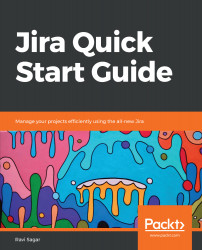
Table of Contents (10 chapters)
close
close

The various types of user in Jira

At the beginning of the book, we created a new Jira instance, where we created new projects and also worked on those projects to understand the features. We were able to do that only because we also have the full admin rights on our instance. In Jira, however, not everyone can be an administrator.

Primarily, there are three types of users in Jira, and these are as follows:

  • User
  • Project administrator
  • Jira administrator

User

Anyone who can log in to Jira is a user and, in most cases, a user will consume a Jira license as well, except in Jira Service Desk, where customers don't count toward the license.

A user is typically your developers or testers in the development team, and an agent...

CONTINUE READING
83
Tech Concepts
36
Programming languages
73
Tech Tools
Icon Unlimited access to the largest independent learning library in tech of over 8,000 expert-authored tech books and videos.
Icon Innovative learning tools, including AI book assistants, code context explainers, and text-to-speech.
Icon 50+ new titles added per month and exclusive early access to books as they are being written.
Jira Quick Start Guide
notes
bookmark Notes and Bookmarks search Search in title playlist Add to playlist download Download options font-size Font size

Change the font size

margin-width Margin width

Change margin width

day-mode Day/Sepia/Night Modes

Change background colour

Close icon Search
Country selected

Close icon Your notes and bookmarks

Confirmation

Modal Close icon
claim successful

Buy this book with your credits?

Modal Close icon
Are you sure you want to buy this book with one of your credits?
Close
YES, BUY

Submit Your Feedback

Modal Close icon
Modal Close icon
Modal Close icon