-
Book Overview & Buying
-
Table Of Contents
Unity AI Programming Essentials
By :
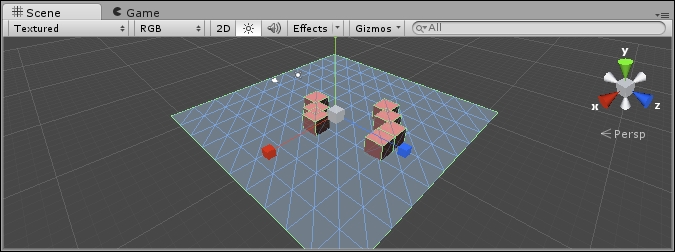
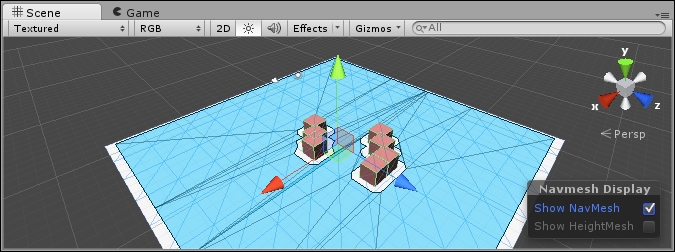
Different Methods' React, a $45 AI, introduces a behavior tree and the use of a navigation mesh, or NavMesh. A NavMesh is a series of interconnected polygons forming a complex area used for travel. It creates a simplified graph of the level that is inputted into the pathfinding system. This simplified graph that it creates is smoother and tends to have characters that travel better than a grid-based graph. A behavior tree is a parent-child structure used for making decisions in many AIs. We will look at behavior trees and navigation meshes in more detail in the later chapters. NavMesh is a basic feature available in Unity, but the behavior tree is not. Unlike the other two AIs shown, this AI requires a bit more coding to get started, but not much.
To begin with, you'll need a new scene, as well as to import React AI from the Asset Store. Perform the following steps:


Player. Fortunately, the demo contains a simple script for controlling a player who you can find (and add) by navigating to Add Component | Scripts | Simple Player Control. Now, this doesn't move the object around on its own; instead it drives a Character Controller object.Character Controller is a type of an object that you can inherit in your code classes that many AIs can operate. In this case, there is a basic Character Controller type to simply move a given object around.
Character Controller in the search box, and it will show you all the similar component names. Add Character Controller. Now, the player should be controllable. You will probably need to increase the speed to 1 to detect the player movement.Make sure that the game object, and any body parts, do not have collider components. Controllers detect colliders to determine whether or not they can move to a given place.
EnemyMovement. In the Inspector, it has a list of behaviors for it. We'll need to add a script, which can be found in the book's contents: \Scripts\React AI\FollowThePlayer.cs. Without going in-depth in the code, let me explain the following key points:Go method. The go method is called by React AI only if it is selected to be used.Start method, we see it obtain the NavMeshAgent that we attached to the enemy in the Inspector panel.Go method, we see it feeding the destination to the NavMeshAgent, and then checking to see whether it has already found a path. Once it does, it just goes.Update method.This script needs to be added to the Inspector for the EnemyMovement asset, and also to the Enemy game object.
For this chapter, we'll just give it a one track mind to follow the player. With Root selected, click on the Action button under Leaf, as shown in the following screenshot:

Since we only have one action in the behavior list, it selects it by default. What makes the behavior tree nice is that we can make decisions, or check whether the target is within X distance then try to follow, otherwise do something else–all from the designer. The next section on RAIN also uses a behavior tree, and most of the same basic types are used in both RAIN and React.
This took more steps than the previous AI, but there is also more going on. It is playable now.
Downloading the example code
You can download the example code files from your account at http://www.packtpub.com for all the Packt Publishing books you have purchased. If you purchased this book elsewhere, you can visit http://www.packtpub.com/support and register to have the files e-mailed directly to you.
Change the font size
Change margin width
Change background colour