

Sign In Start Free Trial
Account

Add to playlist

Create a Playlist

Modal Close icon
You need to login to use this feature.
  • Book Overview & Buying Reimagine Remote Working with Microsoft Teams
  • Table Of Contents Toc
  • Feedback & Rating feedback
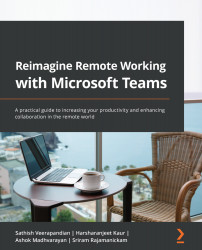
Reimagine Remote Working with Microsoft Teams

Reimagine Remote Working with Microsoft Teams

By : Sathish Veerapandian, Icehouse Man, Kaur, Madhvarayan, Rajamanickam
4.9 (16)
close
close
Reimagine Remote Working with Microsoft Teams

Reimagine Remote Working with Microsoft Teams

4.9 (16)
By: Sathish Veerapandian, Icehouse Man, Kaur, Madhvarayan, Rajamanickam

Overview of this book

The outbreak of the pandemic has forced the world to embrace remote working and the modern style of virtual business. However, end users may find it challenging to cope with this sudden change in working style, not aware of all the features and remote working tools available to make their life easy. Microsoft Teams is an exceptional platform, adopted by many organizations for unified communication and collaboration, and this book will help you to make the most of its capabilities. Complete with step-by-step explanations and screenshots, this book guides you through the topics that you'll find useful in your daily use of Teams. You'll learn how to manage your teams and projects with Microsoft Teams in a structured and organized way. The book provides hands-on information with a focus on the end user side to help corporate users to increase productivity and become a Microsoft Teams superuser. Finally, you'll explore the most effective ways of using the app with best practices and tips and tricks for making the most of the features available for your scenario. By the end of this Microsoft Teams book, you'll have mastered Microsoft Teams and be fully equipped as a modern collaboration end user to effectively increase your remote work productivity.
Table of Contents (15 chapters)
close
close
1
Section 1 – Managing Your Meetings, Projects, and Workforce
5
Section 2 – Collaboration, Events, and Communication
9
Section 3 – All about Security, Client Automation, Teams Etiquette, and Tips and Tricks

Get in touch

Feedback from our readers is always welcome.

General feedback: If you have questions about any aspect of this book, email us at [email protected] and mention the book title in the subject of your message.

Errata: Although we have taken every care to ensure the accuracy of our content, mistakes do happen. If you have found a mistake in this book, we would be grateful if you would report this to us. Please visit www.packtpub.com/support/errata and fill in the form.

Piracy: If you come across any illegal copies of our works in any form on the internet, we would be grateful if you would provide us with the location address or website name. Please contact us at [email protected] with a link to the material.

If you are interested in becoming an author: If there is a topic that you have expertise in and you are interested in either writing or contributing to a book, please visit authors.packtpub.com.

Visually different images
CONTINUE READING
83
Tech Concepts
36
Programming languages
73
Tech Tools
Icon Unlimited access to the largest independent learning library in tech of over 8,000 expert-authored tech books and videos.
Icon Innovative learning tools, including AI book assistants, code context explainers, and text-to-speech.
Icon 50+ new titles added per month and exclusive early access to books as they are being written.
Reimagine Remote Working with Microsoft Teams
notes
bookmark Notes and Bookmarks search Search in title playlist Add to playlist font-size Font size

Change the font size

margin-width Margin width

Change margin width

day-mode Day/Sepia/Night Modes

Change background colour

Close icon Search
Country selected

Close icon Your notes and bookmarks

Confirmation

Modal Close icon
claim successful

Buy this book with your credits?

Modal Close icon
Are you sure you want to buy this book with one of your credits?
Close
YES, BUY

Submit Your Feedback

Modal Close icon
Modal Close icon
Modal Close icon