Sign In Start Free Trial
Account

Add to playlist

Create a Playlist

Modal Close icon
You need to login to use this feature.
  • Book Overview & Buying Clip Studio Paint by Example
  • Table Of Contents Toc
Clip Studio Paint by Example

Clip Studio Paint by Example

By : Serra
3.5 (4)
close
close
Clip Studio Paint by Example

Clip Studio Paint by Example

3.5 (4)
By: Serra

Overview of this book

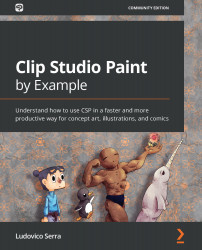
Clip Studio Paint is powerful art software that can help you create artistic work with its in-built material organizer, 3D integration, and group work features. It also provides other features that can speed up the workflow of illustrators, concept artists, and comic artists. With Clip Studio Paint by Example, you’ll learn how to use CSP effectively for a wide variety of artistic purposes. The book starts by helping you create the right workspace for concept art, illustration, and comics. You’ll create a brush, set up a canvas, and develop an auto-auction. Along with covering how to work with CS Modeler that comes bundled with CSP, this book shows you how to import and rig characters easily. You’ll then create reusable changeable scenes and a 3D human character in Blender before exploring concept art, illustrations, comics, and how to create your own portfolio. The book features a glossary with brief explanations of all the main CSP functions. The focus of the book is not on drawing or painting but on helping you enhance your artistic skills using Clip Studio Paint to create an impressive portfolio. By the end of this book, you’ll be able to use the impressive capabilities of CSP to create beautiful digital art in a productive way.
Table of Contents (13 chapters)
close
close

Setting up your workspace and mapping your shortcuts

My bachelor's degree was in painting, and I don't know why, but I often painted on a 2x1 m canvas. This gave me a muscle constriction in my shoulder nerves. Because of this, I learned the hard way that I needed to watch the ergonomics of my workspace. From the beginning of my digital career, I've used a tablet, a pen tablet, and a display tablet, and I've changed my workspace a lot. This will be the chapter in which I will share my thoughts with you on how to create a more enjoyable (and painless) environment.

Desk and chair

The first thing you need to consider is having a good chair, as you will probably sit in that chair for 2-3 hours at a time. You need to be comfortable, and having a bad chair can ruin you in the long run. If you have a chair that can't give you the right height, it will cause you a lot of problems with your back. Plus, a chair costs less than a desk usually, so it's the easier...

CONTINUE READING
83
Tech Concepts
36
Programming languages
73
Tech Tools
Icon Unlimited access to the largest independent learning library in tech of over 8,000 expert-authored tech books and videos.
Icon Innovative learning tools, including AI book assistants, code context explainers, and text-to-speech.
Icon 50+ new titles added per month and exclusive early access to books as they are being written.
Clip Studio Paint by Example
notes
bookmark Notes and Bookmarks search Search in title playlist Add to playlist font-size Font size

Change the font size

margin-width Margin width

Change margin width

day-mode Day/Sepia/Night Modes

Change background colour

Close icon Search
Country selected

Close icon Your notes and bookmarks

Confirmation

Modal Close icon
claim successful

Buy this book with your credits?

Modal Close icon
Are you sure you want to buy this book with one of your credits?
Close
YES, BUY

Submit Your Feedback

Modal Close icon
Modal Close icon
Modal Close icon