Sign In Start Free Trial
Account

Add to playlist

Create a Playlist

Modal Close icon
You need to login to use this feature.
  • Book Overview & Buying Microsoft 365 Word Tips and Tricks
  • Table Of Contents Toc
  • Feedback & Rating feedback
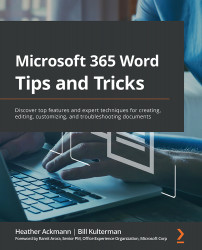
Microsoft 365 Word Tips and Tricks

Microsoft 365 Word Tips and Tricks

By : Heather Ackmann, Bill Kulterman
4.4 (7)
close
close
Microsoft 365 Word Tips and Tricks

Microsoft 365 Word Tips and Tricks

4.4 (7)
By: Heather Ackmann, Bill Kulterman

Overview of this book

If you’re proud of yourself for finally learning how to use keyboard shortcuts and the search function, but still skip a beat when asked to generate a table of contents, then this book is for you. Written by two experts who’ve been teaching the world about Word for decades, Microsoft 365 Word Tips and Tricks is a powerhouse of demystifying advice that will take you from Word user to Word master. This book takes you on a step-by-step journey through Word essentials with plenty of practical examples. With it, you'll explore different versions of Microsoft Word, its full functionality, and understand how these versions impact collaboration with others. Each chapter focuses on a different aspect of working with the legendary text editor, including a whole chapter dedicated to concentrating better with the help of Word. Expert advice will fill your knowledge gaps and teach you how to work more productively and efficiently with text, images, styles, and even macros. By the end of this book, you will be able to make better documents faster and troubleshoot any Word-related problem that comes your way. And because of its clear and cohesive structure, you can easily come back to refresh your knowledge whenever you need it.
Table of Contents (20 chapters)
close
close
1
Section 1: Working More Efficiently, Together or Alone with Word
6
Section 2: Making Sense of Formatting Short and Long Documents
14
Section 3: Help! Word Is Being Strange! Troubleshooting Common Problems

Chapter 11: Writing for Everyone – Understanding Document Accessibility

If you're going to the lengths of writing something down in Microsoft Word, the chances are your goal is to communicate your ideas with others. Part of communicating effectively is tailoring your message to a target audience.

Unfortunately, in business, we can't always predict everything about the person on the other end of a document. At a minimum, we want them to be able to read what we have written. But what happens when we send a document to a client who is blind or low-vision, who relies on a screen reader to navigate and interpret the document, and we haven't designed our document in a way that makes it easy for a screen reader to do that?

I'll tell you what happens: we fail in our mission to communicate effectively.

In this chapter, we will cover some basics for making your Microsoft Word documents accessible for everyone using some simple, free tools available within...

Visually different images
CONTINUE READING
83
Tech Concepts
36
Programming languages
73
Tech Tools
Icon Unlimited access to the largest independent learning library in tech of over 8,000 expert-authored tech books and videos.
Icon Innovative learning tools, including AI book assistants, code context explainers, and text-to-speech.
Icon 50+ new titles added per month and exclusive early access to books as they are being written.
Microsoft 365 Word Tips and Tricks
notes
bookmark Notes and Bookmarks search Search in title playlist Add to playlist font-size Font size

Change the font size

margin-width Margin width

Change margin width

day-mode Day/Sepia/Night Modes

Change background colour

Close icon Search
Country selected

Close icon Your notes and bookmarks

Confirmation

Modal Close icon
claim successful

Buy this book with your credits?

Modal Close icon
Are you sure you want to buy this book with one of your credits?
Close
YES, BUY

Submit Your Feedback

Modal Close icon
Modal Close icon
Modal Close icon