
Sign In Start Free Trial
Account

Add to playlist

Create a Playlist

Modal Close icon
You need to login to use this feature.
  • Book Overview & Buying The Salesforce CPQ Implementation Handbook
  • Table Of Contents Toc
  • Feedback & Rating feedback
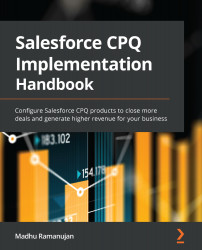
The Salesforce CPQ Implementation Handbook

The Salesforce CPQ Implementation Handbook

By : Madhu Ramanujan
4.7 (19)
close
close
The Salesforce CPQ Implementation Handbook

The Salesforce CPQ Implementation Handbook

4.7 (19)
By: Madhu Ramanujan

Overview of this book

Salesforce CPQ is innovative software that enables you create better quotes, improve quoting accuracy, and maximize sales and deals. It also provides a quick analysis of profits and losses, helping you improve the overall execution of sales processes, and allows a great deal of flexibility for your prospects, customers, and business partners. The book starts with the Quote-2-Cash business process in Salesforce and shows you how to assess when a business needs to implement CPQ. You’ll then progress to configuring opportunities, quotes, and CPQ products. As you advance, you’ll understand how to define and configure price books, price rules for CPQ quote automation, multidimensional quoting, and more. Next, you'll look at how to configure CPQ guided selling and create package configurations, contracts, and amendments. Later chapters will demonstrate how to perform data migration from a legacy system and the order in which the objects are to be migrated. You’ll also explore CPQ billing and its advantages with the help of different use cases before learning about Industries CPQ and how it is different from standard Salesforce CPQ. Finally, you’ll discover best practices for achieving optimal CPQ performance and avoiding performance bottlenecks. By the end of this Salesforce book, you’ll be able to implement Salesforce CPQ for any business.
Table of Contents (17 chapters)
close
close
1
Section 1: Getting Started with Salesforce CPQ Implementation
7
Section 2: The Next Stage of the CPQ Journey
11
Section 3: Advancing with Salesforce CPQ

Chapter 3: Configuring CPQ Products

In this chapter, we will discuss product configurations and their crucial role in CPQ implementation. As your business grows, the complexity of operations increases. Based on your business process, you need to decide what information to capture at the product level, how to define your product catalog, and how to break up the product components. This solely depends on the type of product or service you are selling. CPQ configuration supports both products and services. Products and services can be configured as non-subscription and subscription products in CPQ.

For example, if you are selling a laptop and an associated service as warranty and support, some of these components may be mandatory and some may be optional that a rep can select, based on which the pricing will change. You cannot build a laptop without a hard drive or memory, but the size of these components can be changed by selecting different options. Each of these options will have...

Visually different images
CONTINUE READING
83
Tech Concepts
36
Programming languages
73
Tech Tools
Icon Unlimited access to the largest independent learning library in tech of over 8,000 expert-authored tech books and videos.
Icon Innovative learning tools, including AI book assistants, code context explainers, and text-to-speech.
Icon 50+ new titles added per month and exclusive early access to books as they are being written.
The Salesforce CPQ Implementation Handbook
notes
bookmark Notes and Bookmarks search Search in title playlist Add to playlist font-size Font size

Change the font size

margin-width Margin width

Change margin width

day-mode Day/Sepia/Night Modes

Change background colour

Close icon Search
Country selected

Close icon Your notes and bookmarks

Confirmation

Modal Close icon
claim successful

Buy this book with your credits?

Modal Close icon
Are you sure you want to buy this book with one of your credits?
Close
YES, BUY

Submit Your Feedback

Modal Close icon
Modal Close icon
Modal Close icon