
Sign In Start Free Trial
Account

Add to playlist

Create a Playlist

Modal Close icon
You need to login to use this feature.
  • Book Overview & Buying Microsoft Power Platform Functional Consultant: PL-200 Exam Guide
  • Table Of Contents Toc
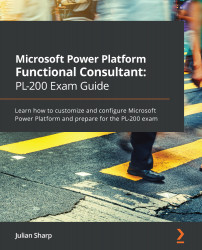
Microsoft Power Platform Functional Consultant: PL-200 Exam Guide

Microsoft Power Platform Functional Consultant: PL-200 Exam Guide

By : Julian Sharp
4.6 (16)
close
close
Microsoft Power Platform Functional Consultant: PL-200 Exam Guide

Microsoft Power Platform Functional Consultant: PL-200 Exam Guide

4.6 (16)
By: Julian Sharp

Overview of this book

The Power Platform Functional Consultant Associate (PL-200) exam tests and validates the practical skills of Power Platform users who are proficient in developing solutions by combining the tools in Power Platform and the Microsoft 365 ecosystem based on business needs. This certification guide offers complete, up-to-date coverage of the PL-200 exam so you can prepare effectively for the exam. Written in a clear, succinct way with self-assessment questions, exam tips, and mock exams with detailed explanations of solutions, this book covers common day-to-day activities involved in configuring Power Platform, such as managing entities, creating apps, implementing security, and managing system change. You'll also explore the role of a functional consultant in creating a data model in the Microsoft Dataverse (formerly Common Data Service). Moving ahead, you'll learn how to design the user experience and even build model-driven and canvas apps. As you progress, the book will show you how to manage automation and create chatbots. Finally, you'll understand how to display your data with Power BI and integrate Power Platform with Microsoft 365 and Microsoft Teams. By the end of this book, you'll be well-versed with the essential concepts and techniques required to prepare for the PL-200 certification exam.
Table of Contents (34 chapters)
close
close
1
Section 1: Introduction
3
Section 2: Microsoft Dataverse
11
Section 3: Power Apps
15
Section 4: Automation
19
Section 5: Power Virtual Agents
22
Section 6: Integrations

Business units, users, and security roles

Business units are the cornerstone of security in the CDS. All users must belong to one, and only one, business unit. A user's access to records flows from their place in the business unit hierarchy.

This section explains how business units, users, and security roles come together to give users access to data. Security starts from the hierarchy of business units and the location of a user within this hierarchy. The following diagram shows an example business unit hierarchy with users assigned to different business units:

Figure 8.10 – Users and business units

Let's look at the Read Account privilege for a security role using the business unit hierarchy in the preceding diagram:

  • A user in the North business unit with a Read Account privilege access level set to Business Unit will be able to view accounts that they own and accounts that are owned by the other users who are in the North business unit.
  • A user in the Sales...
CONTINUE READING
83
Tech Concepts
36
Programming languages
73
Tech Tools
Icon Unlimited access to the largest independent learning library in tech of over 8,000 expert-authored tech books and videos.
Icon Innovative learning tools, including AI book assistants, code context explainers, and text-to-speech.
Icon 50+ new titles added per month and exclusive early access to books as they are being written.
Microsoft Power Platform Functional Consultant: PL-200 Exam Guide
notes
bookmark Notes and Bookmarks search Search in title playlist Add to playlist font-size Font size

Change the font size

margin-width Margin width

Change margin width

day-mode Day/Sepia/Night Modes

Change background colour

Close icon Search
Country selected

Close icon Your notes and bookmarks

Confirmation

Modal Close icon
claim successful

Buy this book with your credits?

Modal Close icon
Are you sure you want to buy this book with one of your credits?
Close
YES, BUY

Submit Your Feedback

Modal Close icon
Modal Close icon
Modal Close icon