Sign In Start Free Trial
Account

Add to playlist

Create a Playlist

Modal Close icon
You need to login to use this feature.
  • Book Overview & Buying Learning C# by Developing Games with Unity 2020
  • Table Of Contents Toc
  • Feedback & Rating feedback
Learning C# by Developing Games with Unity 2020

Learning C# by Developing Games with Unity 2020 - Fifth Edition

By : Harrison Ferrone
4.5 (39)
close
close
Learning C# by Developing Games with Unity 2020

Learning C# by Developing Games with Unity 2020

4.5 (39)
By: Harrison Ferrone

Overview of this book

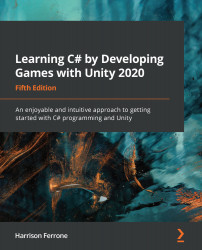
Over the years, the Learning C# by Developing Games with Unity series has established itself as a popular choice for getting up to speed with C#, a powerful and versatile programming language that can be applied in a wide array of application areas. This book presents a clear path for learning C# programming from the ground up without complex jargon or unclear programming logic, all while building a simple game with Unity. This fifth edition has been updated to introduce modern C# features with the latest version of the Unity game engine, and a new chapter has been added on intermediate collection types. Starting with the basics of software programming and the C# language, you’ll learn the core concepts of programming in C#, including variables, classes, and object-oriented programming. Once you’ve got to grips with C# programming, you’ll enter the world of Unity game development and discover how you can create C# scripts for simple game mechanics. Throughout the book, you’ll gain hands-on experience with programming best practices to help you take your Unity and C# skills to the next level. By the end of this book, you’ll be able to leverage the C# language to build your own real-world Unity game development projects.
Table of Contents (16 chapters)
close
close

Time for action  setting up enemy agents

Let's register the Enemy prefab as a NavMeshAgent:

  1. Select the Enemy prefab, click Add Component in the Inspector window and search for NavMesh Agent. Make sure the Enemy prefab is in the scene is updated:

  1. Click Create | Create Empty from the Hierarchy window and name the GameObject Patrol Route
    • Select Patrol Route, click Create | Create Empty to add a child GameObject, and name it Location 1. Position Location 1 in one of the corners of the level:

  1. Create three more empty child objects in Patrol Route, name them Location 2Location 3, and Location 4, respectively, and position them in the remaining corners of the level to form a square:

Adding a NavMeshAgent component to the Enemy tells the NavMesh component to take notice and register it as an object that has access to its autonomous navigation features. Creating the four empty game objects in...

Visually different images
CONTINUE READING
83
Tech Concepts
36
Programming languages
73
Tech Tools
Icon Unlimited access to the largest independent learning library in tech of over 8,000 expert-authored tech books and videos.
Icon Innovative learning tools, including AI book assistants, code context explainers, and text-to-speech.
Icon 50+ new titles added per month and exclusive early access to books as they are being written.
Learning C# by Developing Games with Unity 2020
notes
bookmark Notes and Bookmarks search Search in title playlist Add to playlist download Download options font-size Font size

Change the font size

margin-width Margin width

Change margin width

day-mode Day/Sepia/Night Modes

Change background colour

Close icon Search
Country selected

Close icon Your notes and bookmarks

Confirmation

Modal Close icon
claim successful

Buy this book with your credits?

Modal Close icon
Are you sure you want to buy this book with one of your credits?
Close
YES, BUY

Submit Your Feedback

Modal Close icon
Modal Close icon
Modal Close icon