Sign In Start Free Trial
Account

Add to playlist

Create a Playlist

Modal Close icon
You need to login to use this feature.
  • Book Overview & Buying Blender 3D Basics
  • Table Of Contents Toc
Blender 3D Basics

Blender 3D Basics

By : Gordon Fisher
4.2 (19)
close
close
Blender 3D Basics

Blender 3D Basics

4.2 (19)
By: Gordon Fisher

Overview of this book

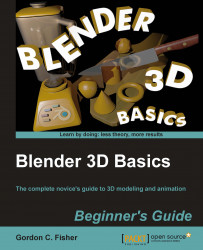
Blender is by far the most popular open source graphics program available. It is a full featured 3D modeling, animation and games development tool used by millions all over the world ñ and it's free! This book is for those looking for an entry into the world of 3D modeling and animation regardless of prior experience. Blender 3D Basics is the entry level book for those without prior experience using 3D tools. It caters for those who may have downloaded Blender in the past but were frustrated by its lack of intuitiveness. Using simple steps it builds, chapter by chapter, into a full foundation in 3D modeling and animation. Using Blender 3D Basics the reader will model a maritime scene complete with boats and water, then add materials, lighting and animation. The book demystifies the Blender interface and explains what each tool does so that you will be left with a thorough understanding of 3D.
Table of Contents (20 chapters)
close
close
Blender 3D Basics Beginner's Guide
Credits
About the Author
About the Reviewers
www.PacktPub.com
Preface
3
Controlling the Lamp, the Camera, and Animating Objects
2
Index

Keeping everything organized


With all the booms, rudders, oars, and other parts you are creating, you are starting to get quite a collection of 3D objects here. You need to make sure they are well organized so you can find them in the future.

Everybody organizes their files in a slightly different way and there are many good ways to do it. What you need to do is organize your files so that you can find them a year from now, when you've forgotten nearly everything about the project that you are working on. Projects that are hot now can be history in 20 minutes, and then come back in six months. You just never know.

A Blender project won't just be the Blender file. It also includes any graphics that you have used to make textures, special plug-ins for Blender, such as the Bolt Factory which automates making bolts and screws, text and Python language files, as well as the finished files you render out. There's a lot to organize.

There are two ways to specify the locations of files. One is called...

CONTINUE READING
83
Tech Concepts
36
Programming languages
73
Tech Tools
Icon Unlimited access to the largest independent learning library in tech of over 8,000 expert-authored tech books and videos.
Icon Innovative learning tools, including AI book assistants, code context explainers, and text-to-speech.
Icon 50+ new titles added per month and exclusive early access to books as they are being written.
Blender 3D Basics
notes
bookmark Notes and Bookmarks search Search in title playlist Add to playlist font-size Font size

Change the font size

margin-width Margin width

Change margin width

day-mode Day/Sepia/Night Modes

Change background colour

Close icon Search
Country selected

Close icon Your notes and bookmarks

Confirmation

Modal Close icon
claim successful

Buy this book with your credits?

Modal Close icon
Are you sure you want to buy this book with one of your credits?
Close
YES, BUY

Submit Your Feedback

Modal Close icon
Modal Close icon
Modal Close icon